Guide · 3 steps
Send a post as a voice message
Write the post as text. Autogram reads it aloud with AI and sends it to the channel as sound.
Step 1
Turn on the switch
Open Posts, press Create and turn on Send as audio.
The switch is on the Solo plan and higher.

Step 2
Choose the format
Choose Voice message or Audio file.
A voice message plays in the chat. An audio file shows in the Telegram music player.

Step 3
Write the text and publish
Write the post text, up to 1000 characters, then schedule or publish the post.
Each send uses your AI credits. A post with audio cannot have images, a Live Photo or a poll.
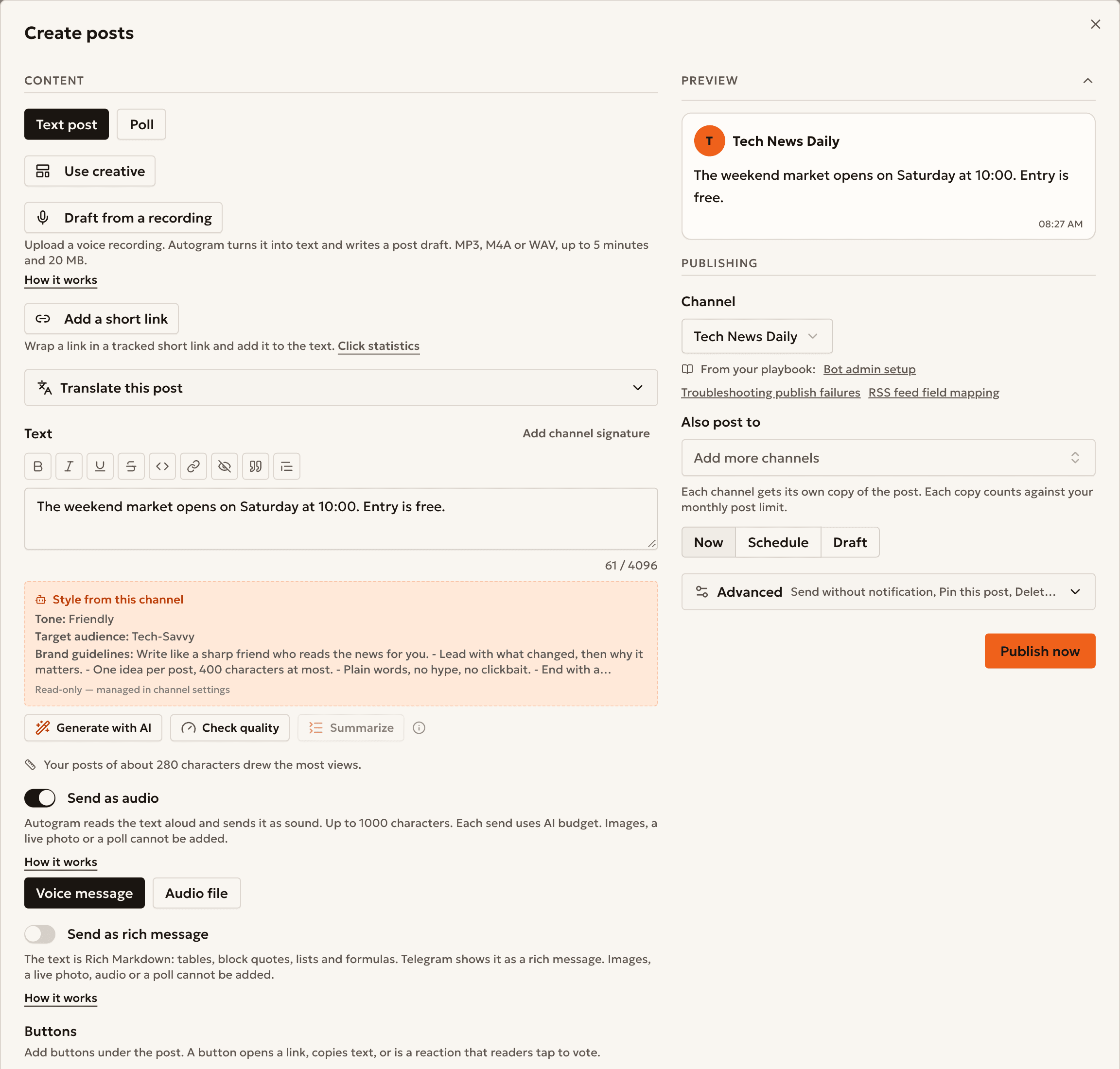
Example
A market announcement
You send a short announcement as a voice message.
- Text
- The weekend market opens on Saturday at 10:00. Entry is free.
- Format
- Voice message
- Length
- 61 characters
Common questions
Which plan do I need?
Solo or higher. On Free the switch is off and a note names the plan.
How long can the text be?
Up to 1000 characters. Autogram refuses a longer text and does not cut it.
Can I add images or a poll?
No. A post with audio cannot have images, a Live Photo or a poll. Ads, automation posts and repeating posts cannot be audio.
Does it use AI credits?
Yes. Each send makes one new voice and uses your AI credits.
Ready to start?
Create an account and connect your channel.