Guide · 3 steps
Publish a recap of your best posts
A channel digest is an automation. Each run picks the most viewed posts of a channel from the last days, and AI writes one short recap of them as a new post.
Step 1
Choose Channel digest
Open Tasks, create a task, type a name and choose Channel digest.
A channel digest needs the Solo plan or higher.

Step 2
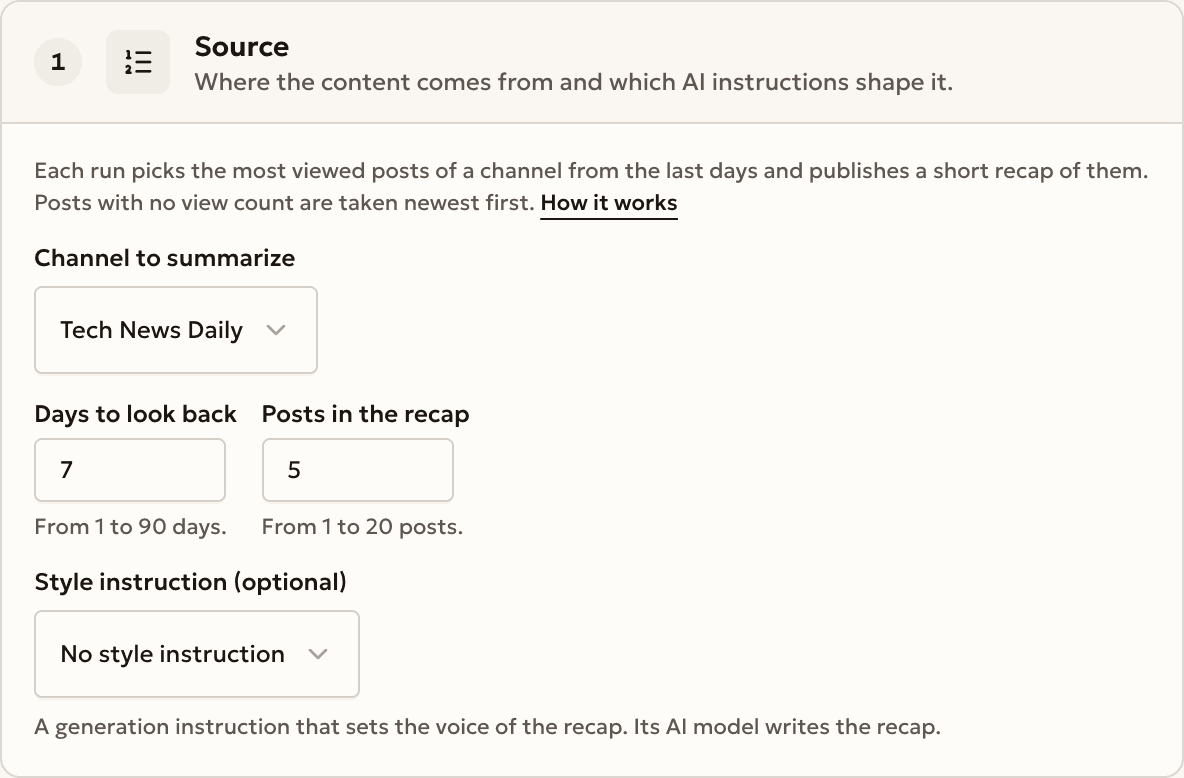
Set the channel and the period
Choose the Channel to summarize, set Days to look back and Posts in the recap.
Look back 1 to 90 days and take 1 to 20 posts. Style instruction (optional) sets the voice of the recap.
Step 3
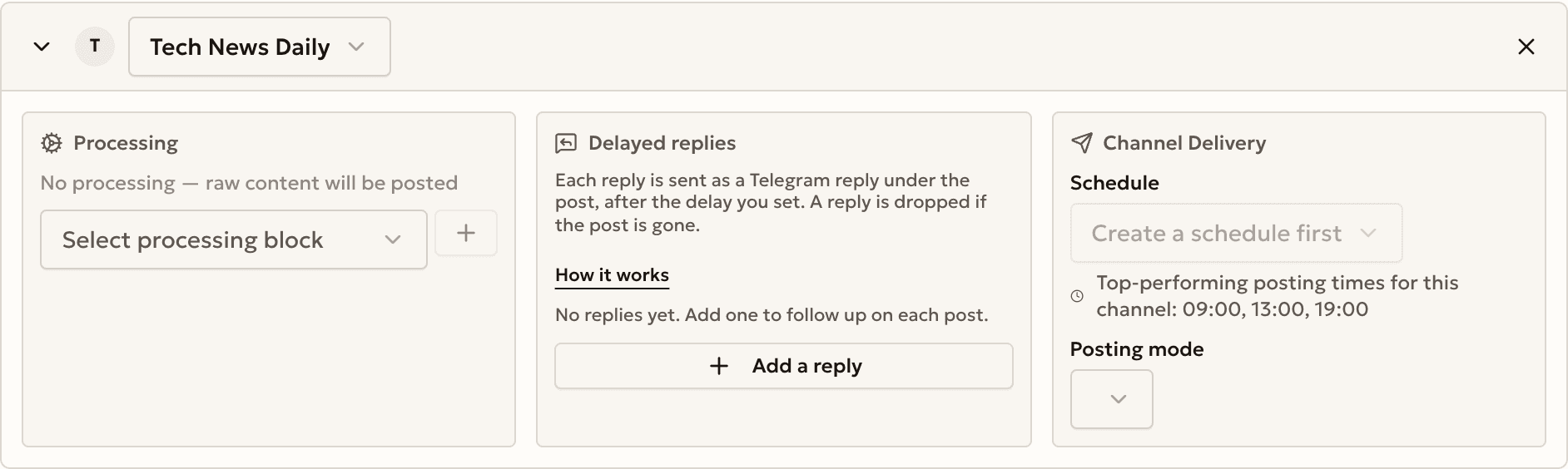
Choose where the recap goes
Press Add channel, pick the channel and its schedule, then press Create.
The recap can go to the same channel or to another one. A run with no posts in the period is skipped and uses no AI. You get one notification that day that says why.
Example
A Sunday recap
A tech channel posts every day and sends a recap of the week every Sunday.
- Days to look back
- 7
- Posts in the recap
- 5
- Schedule
- Sunday, 18:00
Common questions
Which posts does a digest leave out?
Earlier digests, sold ads, giveaway posts, posts with no text, posts that left the channel, and repeated or recycled copies.
Does a digest use my AI budget?
Yes. Each run makes one AI call.
My posts have no views. What happens?
Posts with no view count are taken newest first. Type the views, or on Pro and Business wait for Autogram to read them from Telegram.
Ready to start?
Create an account and connect your channel.