Guide · 5 steps
Get an AI report on your channel
The AI report reads the post history of one channel and writes one report: a summary, content gaps, top themes and scheduling advice. It is on Pro and Business and uses your AI credits.
Step 1
Choose a channel and generate
Open Analytics and select the AI report tab. Choose a Channel and press Generate report.
A channel needs 10 published posts with text. The report can take a few minutes, and you can leave the page.

Step 2
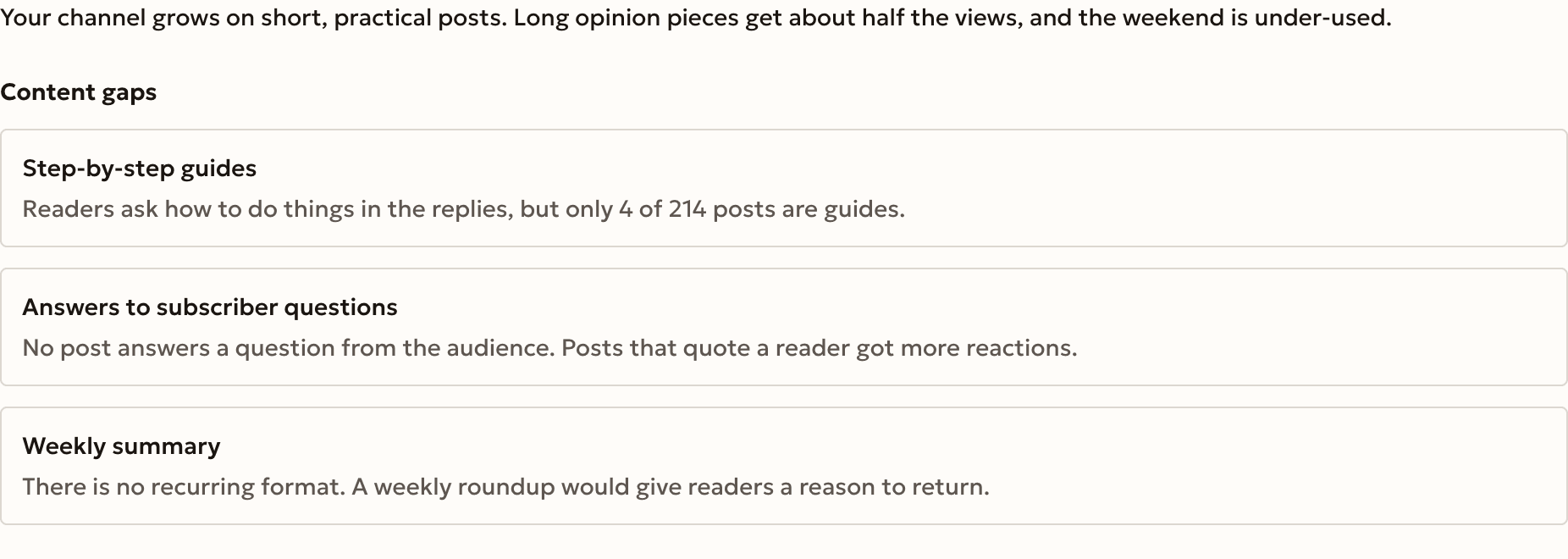
Read the summary and the gaps
Read the summary. Then read Content gaps: the topics your channel does not cover yet.
The line above the report shows how many posts it read. A very long history is cut to the newest posts.
Step 3
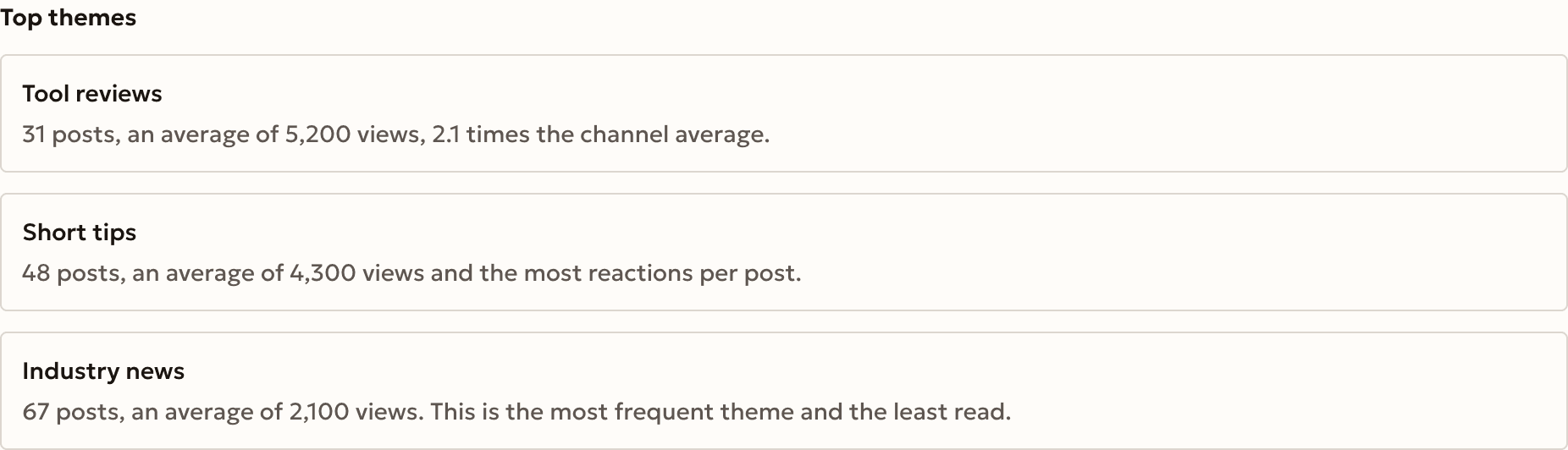
Find your best themes
Top themes shows which topics get the most views, with the numbers behind each one.
The numbers come from your own posts. Check them in the analytics before you act.
Step 4
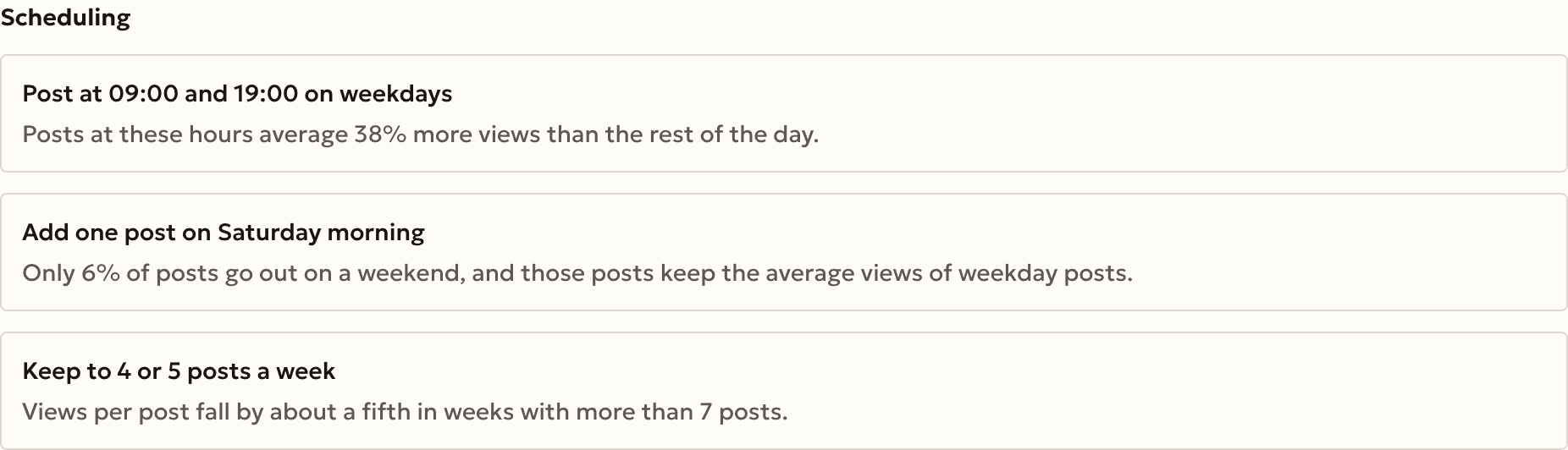
Plan your posting times
Scheduling gives the days and hours to post, and the reason for each.
Press Generate a new report after a month to get fresh advice.
Step 5
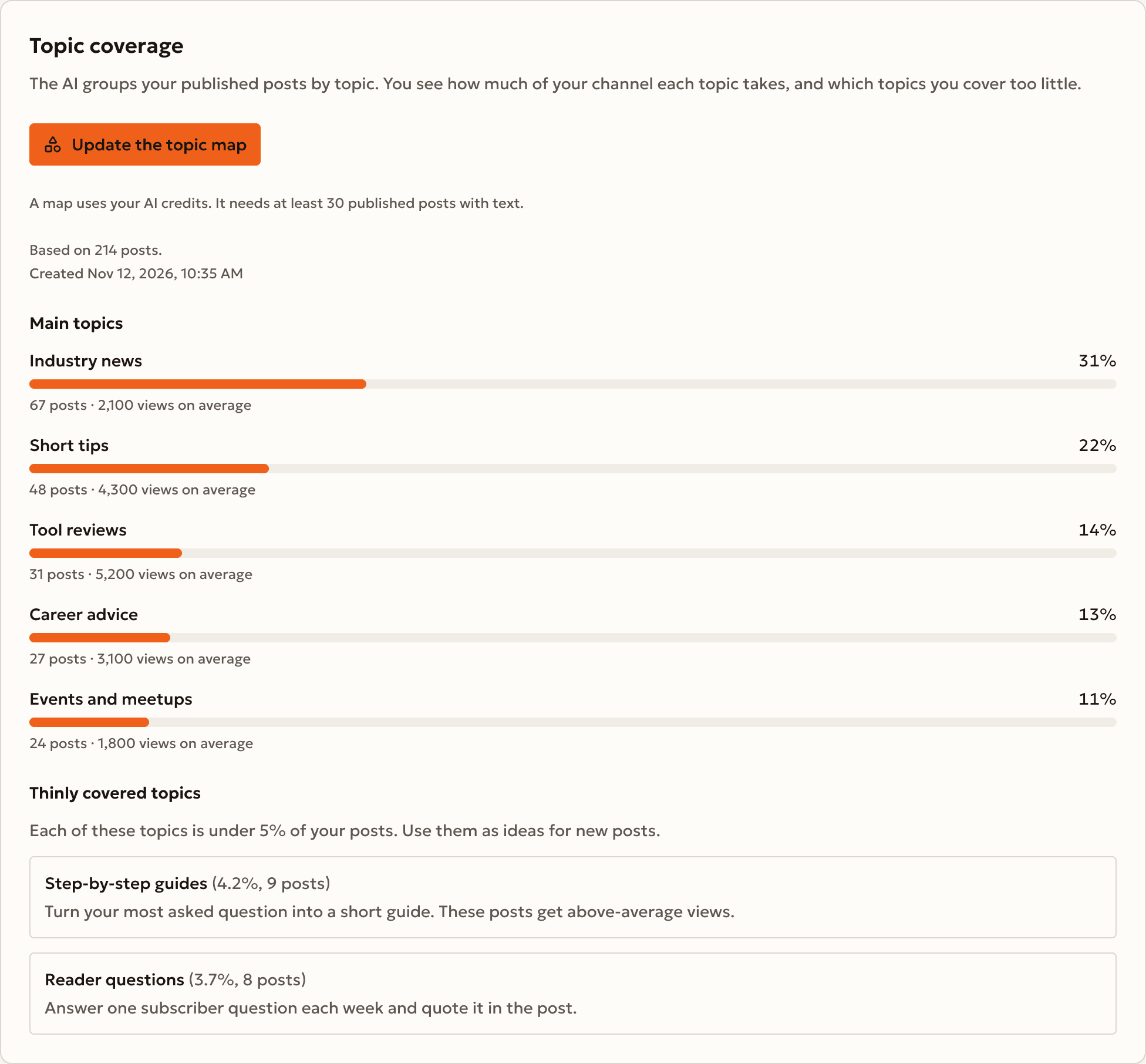
See how your topics are spread
Under the report, press Map topics. The AI groups your posts by topic. Main topics shows the share of each topic.
Thinly covered topics are under 5% of your posts. Each one has an idea for a new post.
Example
One report for one channel
- Channel
- Tech News Daily
- Posts read
- 214 posts
- Top theme
- Tool reviews, 2.1 times the average views
- Advice
- Post at 09:00 and 19:00 on weekdays
Common questions
Does a report cost money?
It uses your AI credits. A channel with a long history costs more. If the AI gives no readable answer, you are not charged.
Which plans have the report?
Pro and Business. On a lower plan the tab shows an upgrade button.
Does the report change my channel?
No. The report only reads your posts. It does not post, edit or delete anything.
Ready to start?
Create an account and connect your channel.