Guide · 5 steps
Compare your growth with other channels
Autogram reads the subscriber count of public Telegram channels once a day and shows their growth next to your own channels.
Step 1
Open the Competitors tab
Open Analytics and choose the Competitors tab.
The tab is on Pro and Business. Other plans see an upgrade note.

Step 2
Add a channel
Enter the @handle or the t.me link of a public channel. Choose its category, then press Add channel.
Pro tracks up to 10 channels, and Business tracks up to 50. The Autogram bot does not need to be in that channel.

Step 3
Read the chart
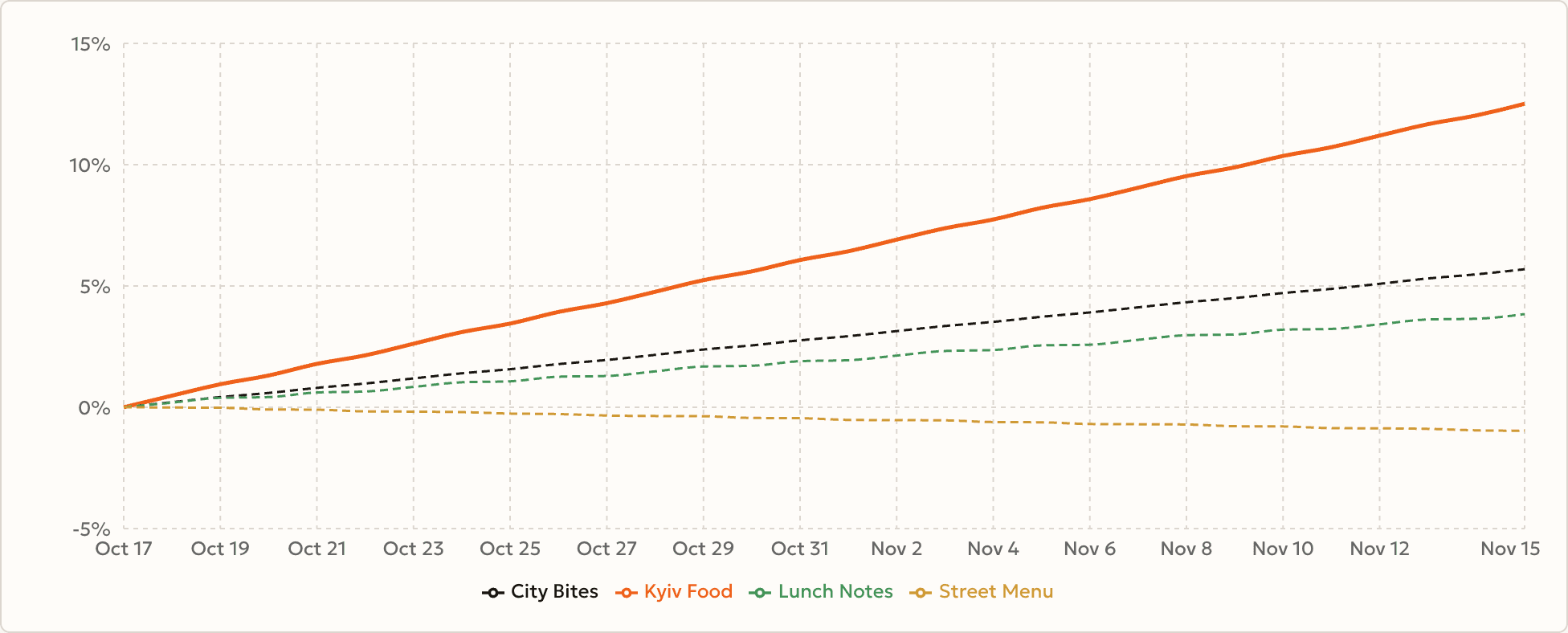
Choose 7, 30 or 90 days. Each line shows the growth in percent since the start of the period.
Percent puts a small channel and a large channel on one scale. A line starts on the day you add its channel.
Step 4
Read the table
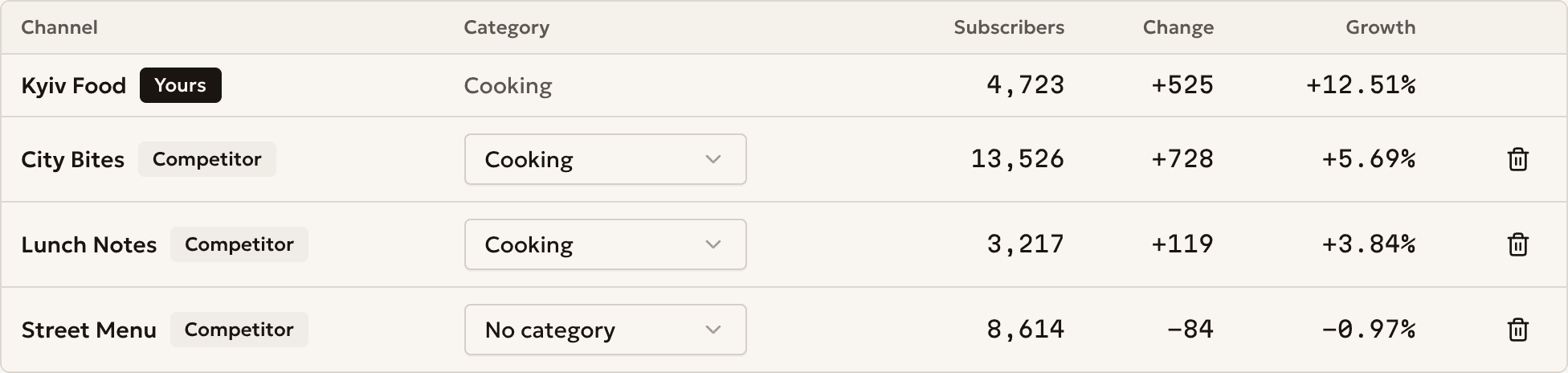
Compare Subscribers, Change and Growth for each channel. Change the niche of a tracked channel in the Category column. To remove a channel, press the bin icon and then Stop tracking.
Stop tracking deletes the saved counts of that channel.
Step 5
Read the share of voice
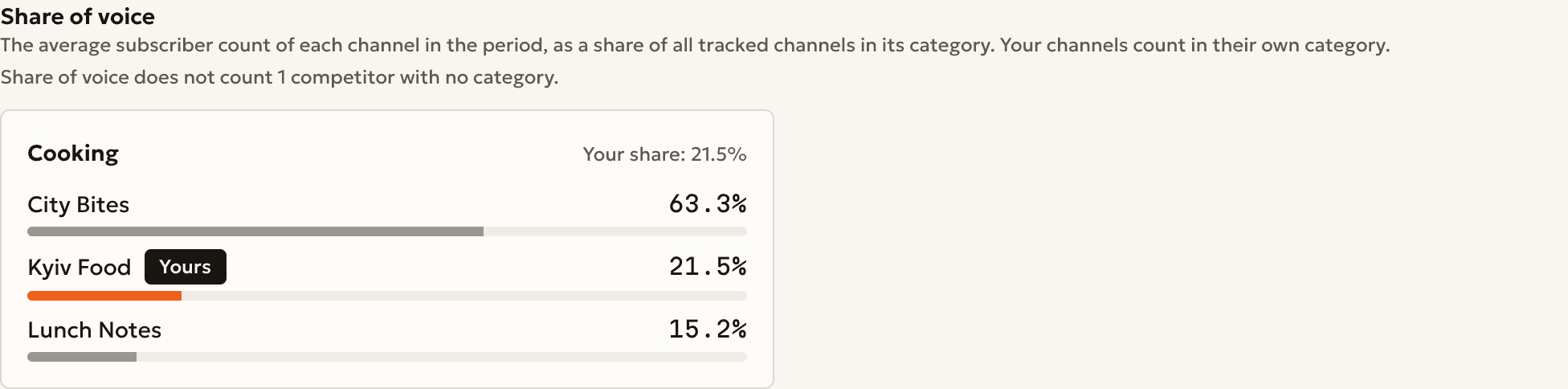
Under the table, Share of voice shows the share of the subscribers that each channel has in its category. Your share is at the top of each category.
Each channel counts with its average subscriber count in the period. A competitor with no category is not counted. Your own channels count in the category from their channel settings.
Example
A city food channel
The owner of a city food channel watches three other food channels.
- Your growth in 30 days
- +12.5%
- Best competitor
- +5.7%
- Channels tracked
- 3 of 10
Common questions
Which plan do I need?
Pro or Business. Pro tracks up to 10 channels, and Business tracks up to 50.
Can I see the views and reactions of other channels?
No. For a channel that the bot is not in, Telegram gives bots only the subscriber count.
A channel shows Not found. What now?
The channel is no longer public, or its handle changed. Autogram keeps its history. Add the new handle to track it again.
Ready to start?
Create an account and connect your channel.