Guide · 3 steps
Set up email digests and quiet hours
Autogram can send you a summary of your channels by email, hold emails at night, and put notification emails into one daily or weekly email.
Step 1
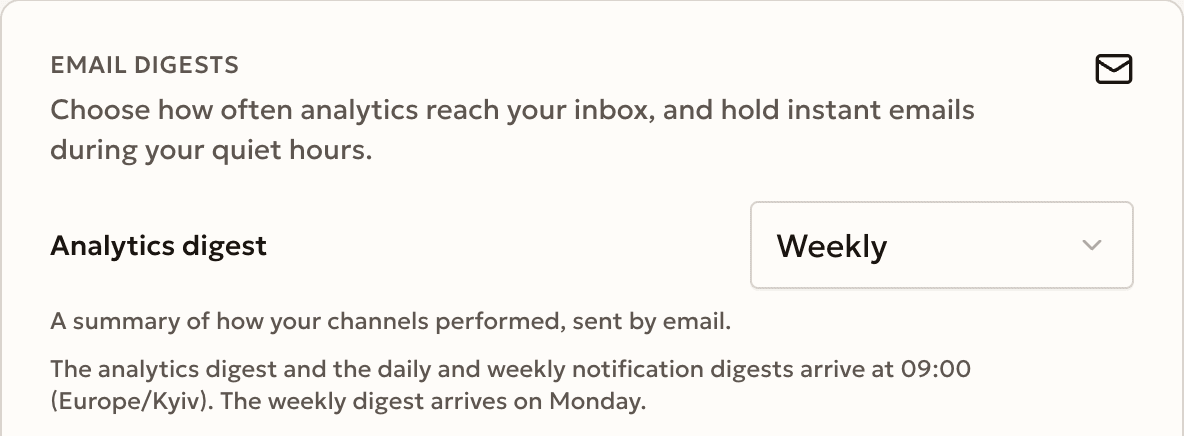
Choose the analytics digest
Open Profile and find Email digests. Under Analytics digest, choose Weekly or Monthly and press Save.
The digest arrives at 09:00 in your time zone: on Monday or on the 1st of the month.
Step 2 · Optional
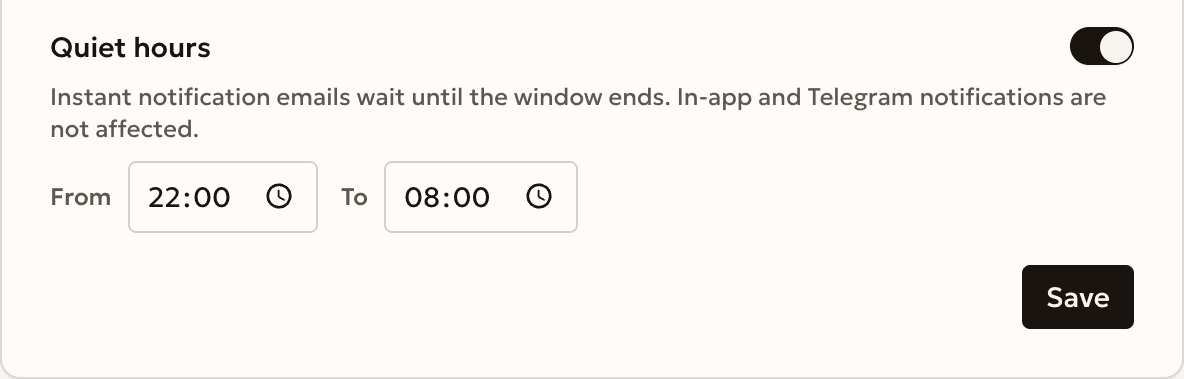
Set quiet hours
Turn on Quiet hours, set the times in From and To and press Save.
Instant emails wait until the quiet hours end. In-app and Telegram notifications do not change.
Step 3
Choose how each email arrives
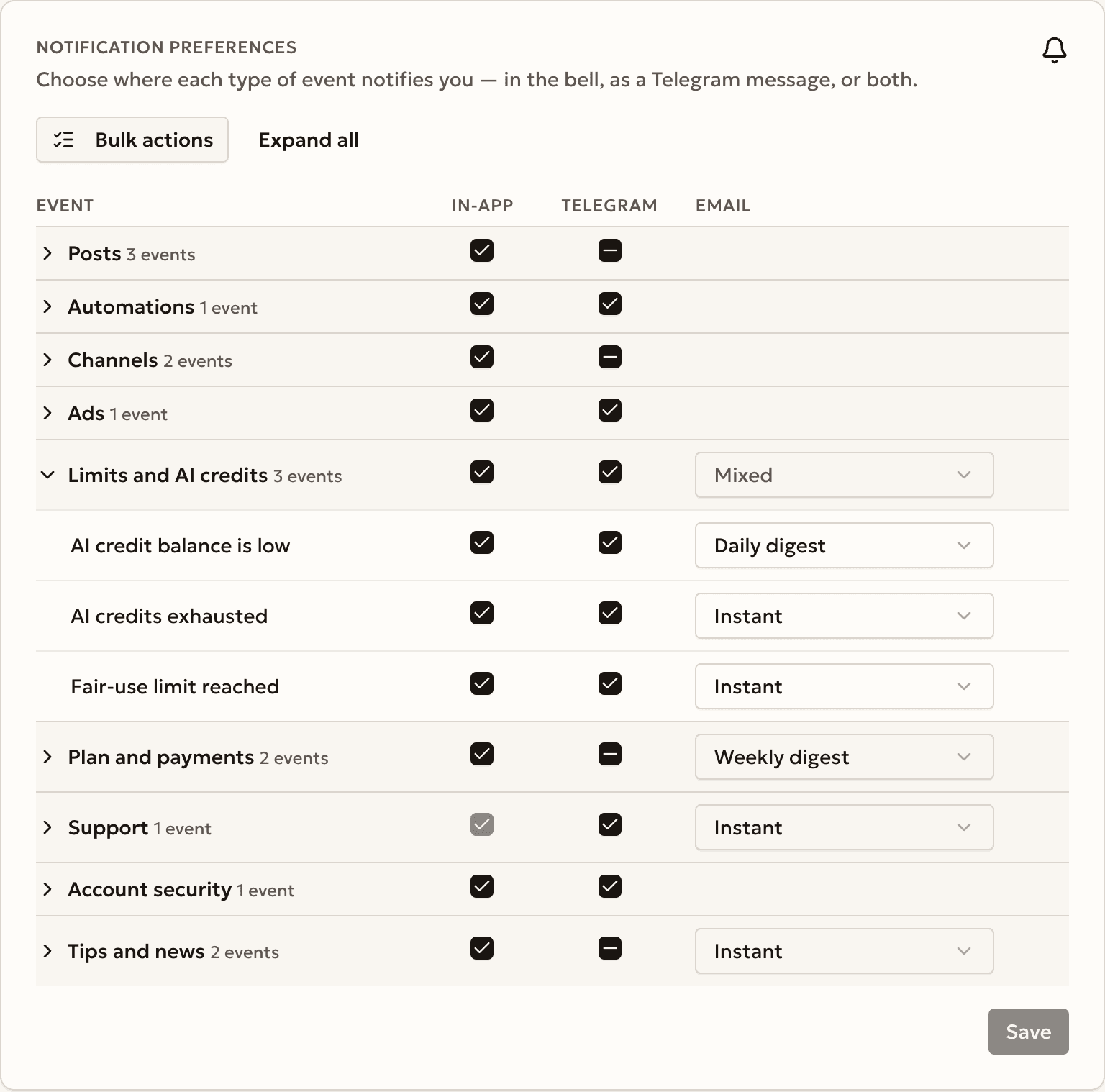
In Notification preferences, open a group and use the Email column. For each kind, choose Instant, Daily digest, Weekly digest or Never and press Save.
A dash means that the kind sends no email of its own. The list in the group row sets every email of the group at once.
Example
A morning inbox
The owner of three channels reads email only in the morning.
- Analytics digest
- Weekly
- Quiet hours
- 22:00 to 08:00
- AI credit balance is low
- Daily digest
Common questions
Which plan do I need?
Email frequency and quiet hours are on every plan. The analytics digest is on the Business plan.
What is in the analytics digest?
Subscriber growth, the engagement rate with the best and the worst channel, the top 5 posts by views, and ad revenue with the average CPM, each compared with the period before. A short AI summary is also included.
Can I put billing emails into a digest?
No. Billing and security emails always arrive at once.
Ready to start?
Create an account and connect your channel.