Guide · 3 steps
Run a giveaway in your channel
Autogram posts the giveaway, checks each entrant, draws the winners at the time you set and posts the results.
Step 1
Post the giveaway
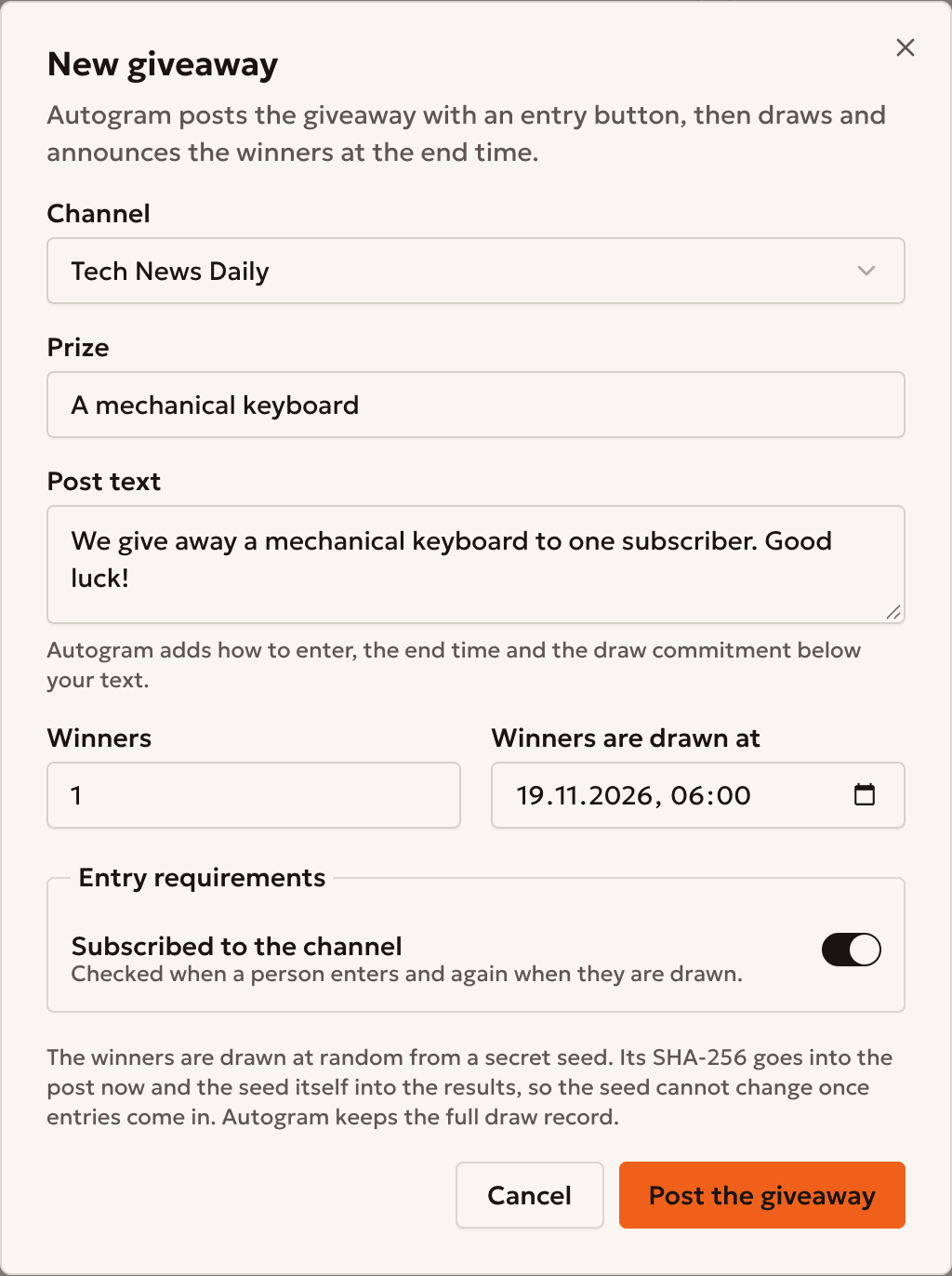
Open Giveaways and press New giveaway. Choose the Channel, write the Prize and the Post text, set Winners and Winners are drawn at, then press Post the giveaway.
With Subscribed to the channel on, only subscribers can enter. Choose 1 to 100 winners and a draw time from 5 minutes to 90 days ahead.
Step 2
Watch the entrants
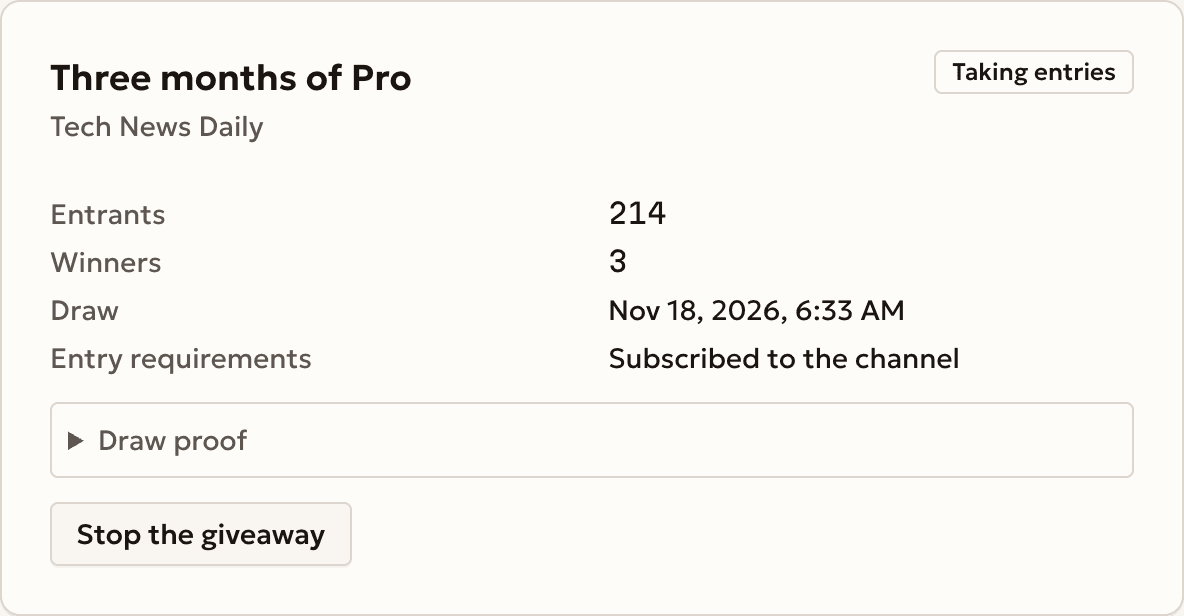
Readers press the entry button under the post and start the Autogram bot. The card shows Taking entries and the number of Entrants.
Autogram checks the subscription of each entrant. Stop the giveaway ends the giveaway with no draw.
Step 3
Read the results
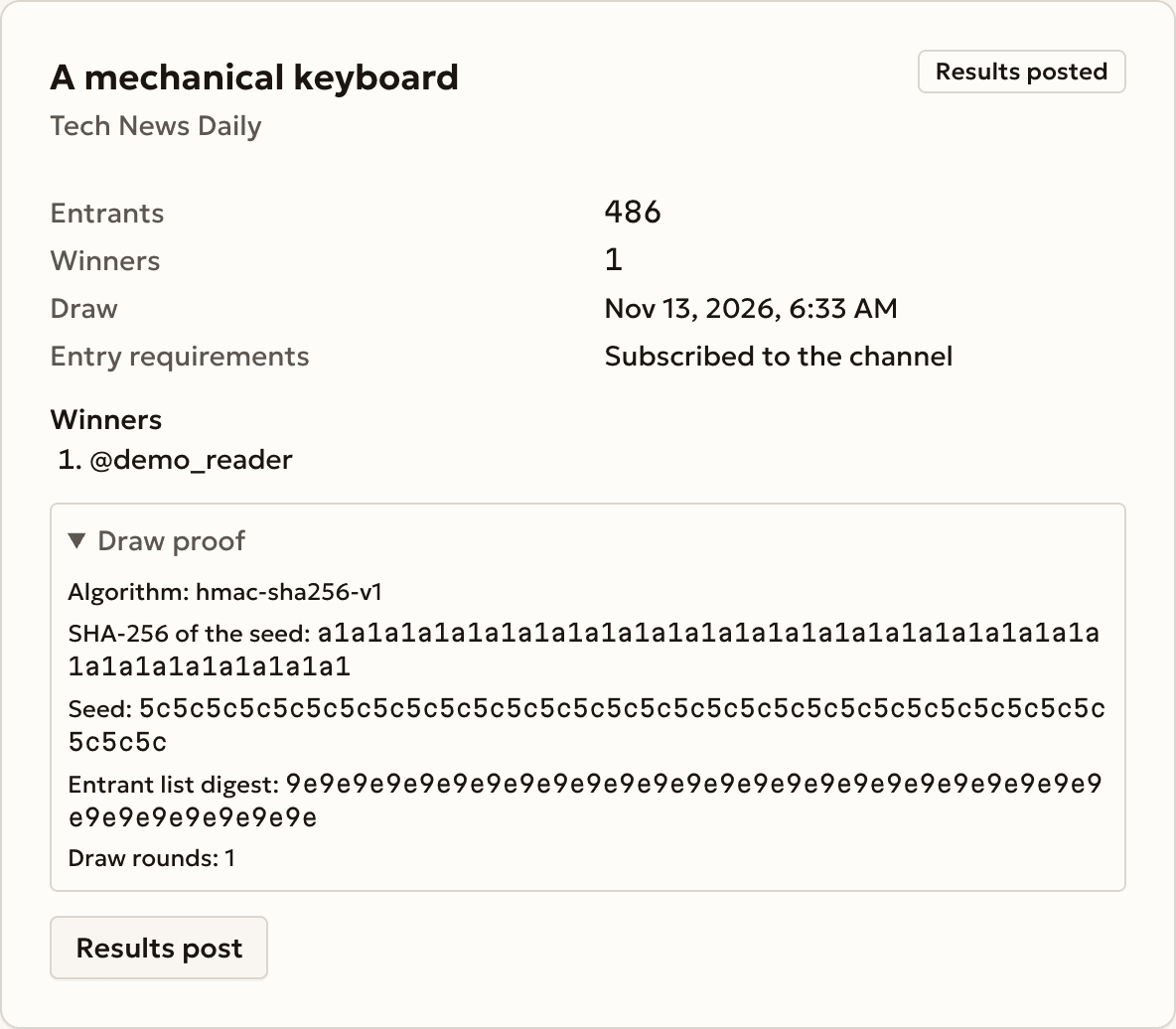
At the draw time, Autogram draws the winners and posts the results in the channel. The card shows Results posted and the Winners.
Autogram checks each winner again. A winner who left the channel is replaced by the next draw. Draw proof shows the seed and its hash.
Example
A keyboard for a tech channel
A tech channel gives away one mechanical keyboard to its subscribers.
- Prize
- A mechanical keyboard
- Winners
- 1, drawn in 3 days
- Entry requirement
- Subscribed to the channel
Common questions
Which plan do I need?
Giveaways are on the Solo plan and higher.
How do readers know the draw is fair?
The giveaway post shows the SHA-256 of a secret seed, and the results post reveals the seed. A reader can check that the seed matches the hash, so the seed did not change after the entries came in. The entrant list is not published, so only Autogram can repeat the draw itself.
What does Autogram read about an entrant?
Only the Telegram account that pressed the entry button, and whether it is subscribed to your channel.
Ready to start?
Create an account and connect your channel.