Guide · 4 steps
Track the members of your group
Autogram reads the member count and the admin count of your Telegram groups once an hour and draws the growth. It also counts the messages, joins, leaves and reactions of each day.
Step 1
Open the Groups tab
Open Analytics and choose the Groups tab.
The tab is on every plan.

Step 2
Add the bot and track the group
Press Add the bot to a group, choose the group in Telegram and make the bot an admin. Back in Autogram, press Track.
Only a supergroup can be tracked, and only an admin of the group can track it. You can track up to 10 groups. You need a Telegram account linked in your profile.

Step 3
Read the numbers
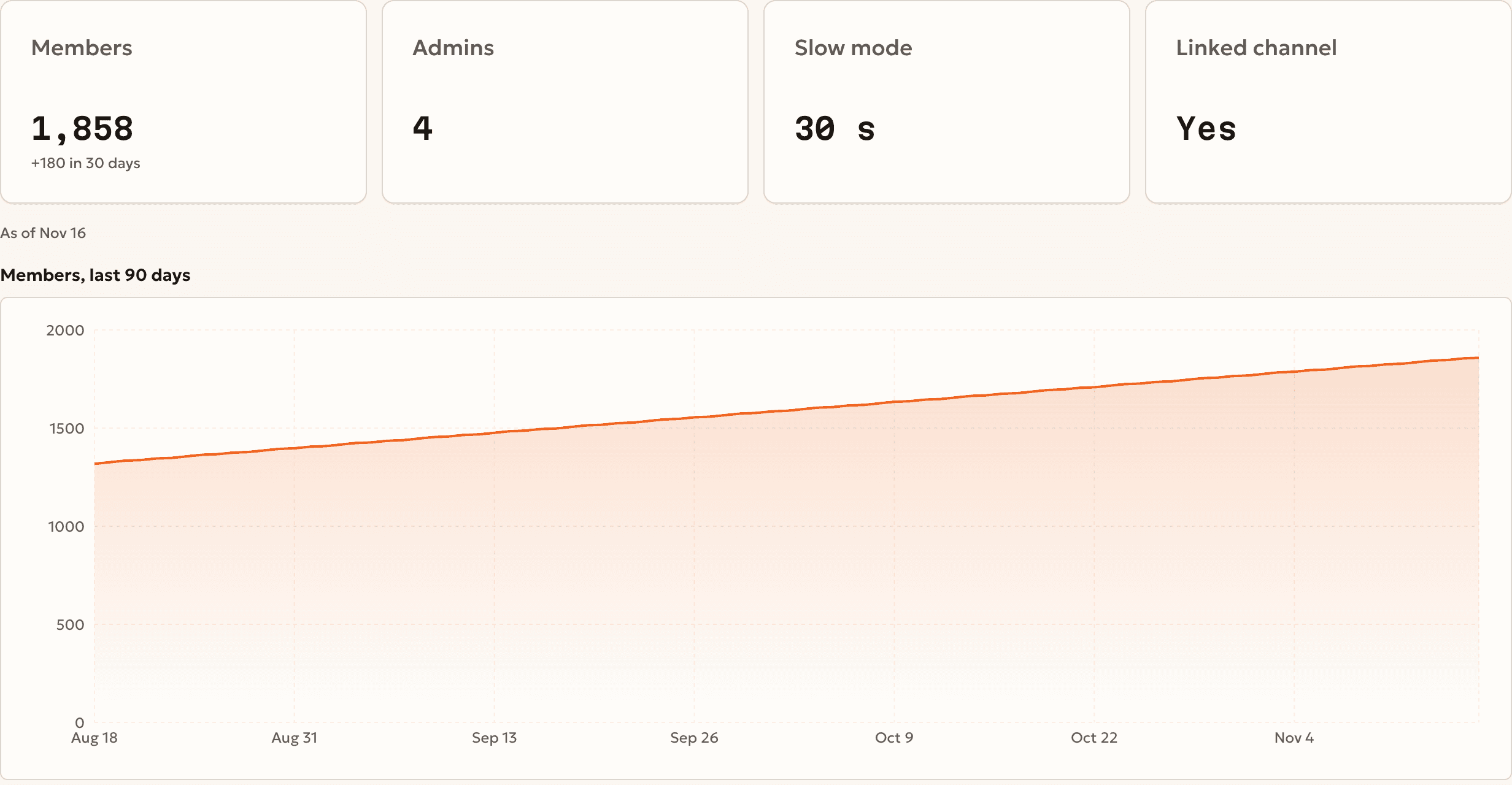
Read Members and Admins, then follow the chart of the last 90 days.
The history starts on the day you add the group.
Step 4
Read the activity
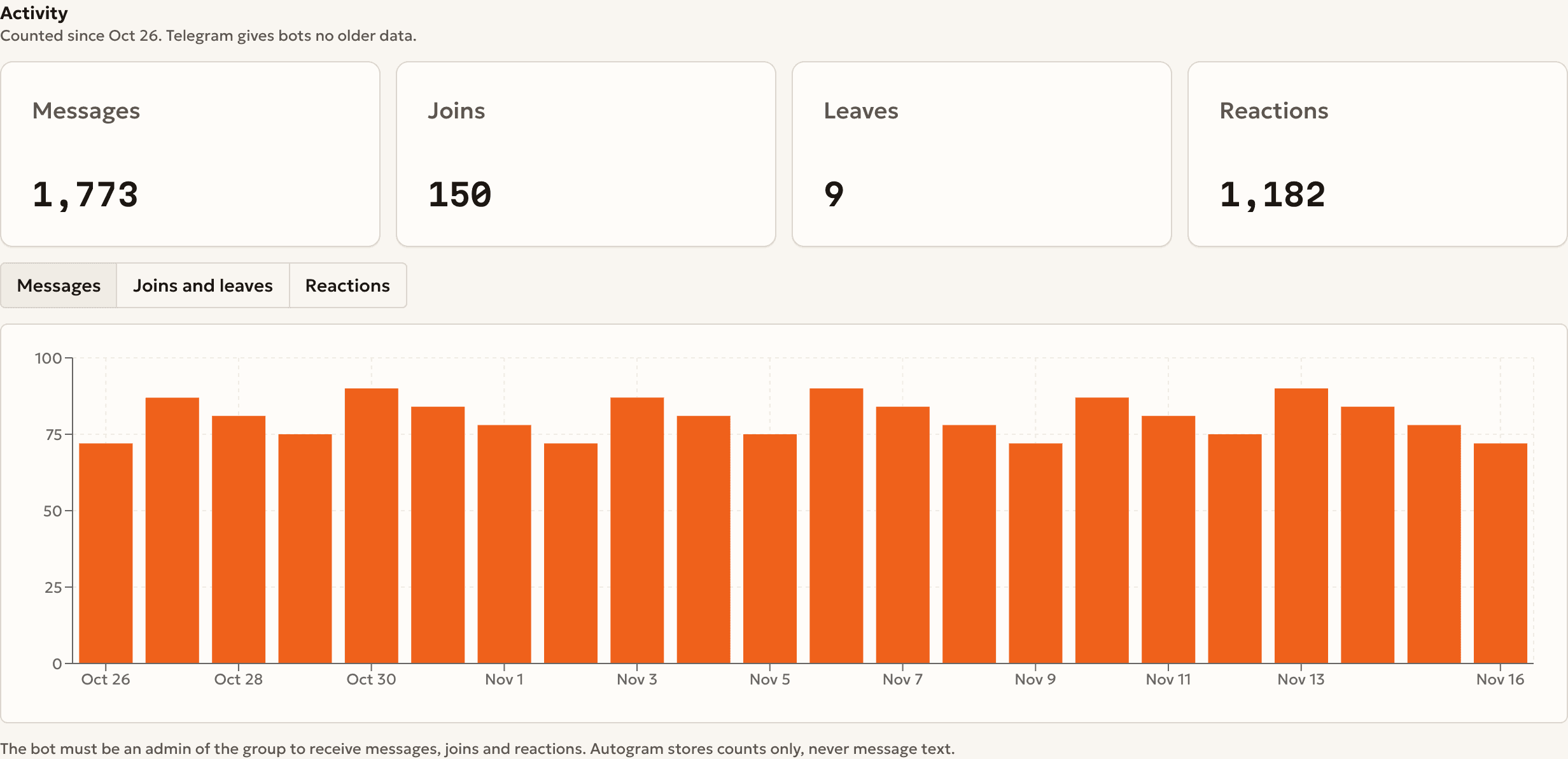
Read Messages, Joins, Leaves and Reactions, and switch the chart between them.
The counts start on the date under Activity. The bot must be an admin of the group. This part is on the Pro plan.
Example
A photo club chat
A channel owner tracks the chat of a photo club.
- Members
- 1,858
- Change in 30 days
- +180
- Admins
- 4
Common questions
Which plan do I need?
Every plan can track groups and read the members. The daily activity is on the Pro plan.
A group shows Paused. What now?
Autogram lost access to the group. The saved history stays. Add the bot as an admin again and press Track again.
Can I see the history before I added the group?
No. Telegram gives bots no older data.
Ready to start?
Create an account and connect your channel.