Guide · 5 steps
Clean up your discussion group
Autogram can record the members of the discussion group of your channel. Then you can remove inactive members, recent joins or low-reputation members in one confirmed step.
Step 1
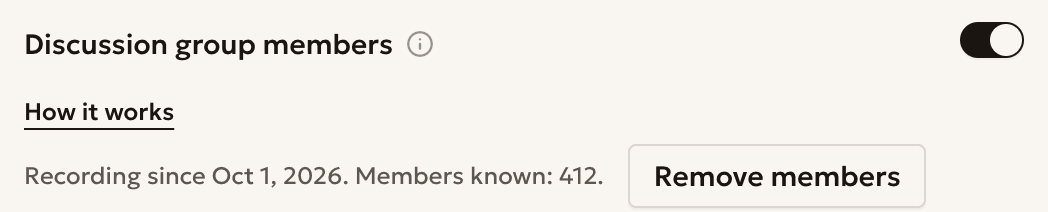
Turn on member recording
Open Channels, press Edit on a channel and open the Publishing tab. Turn on Discussion group members.
The channel needs a linked discussion group. You and the Autogram bot need the Ban users right in the group.
Step 2
Choose who to remove
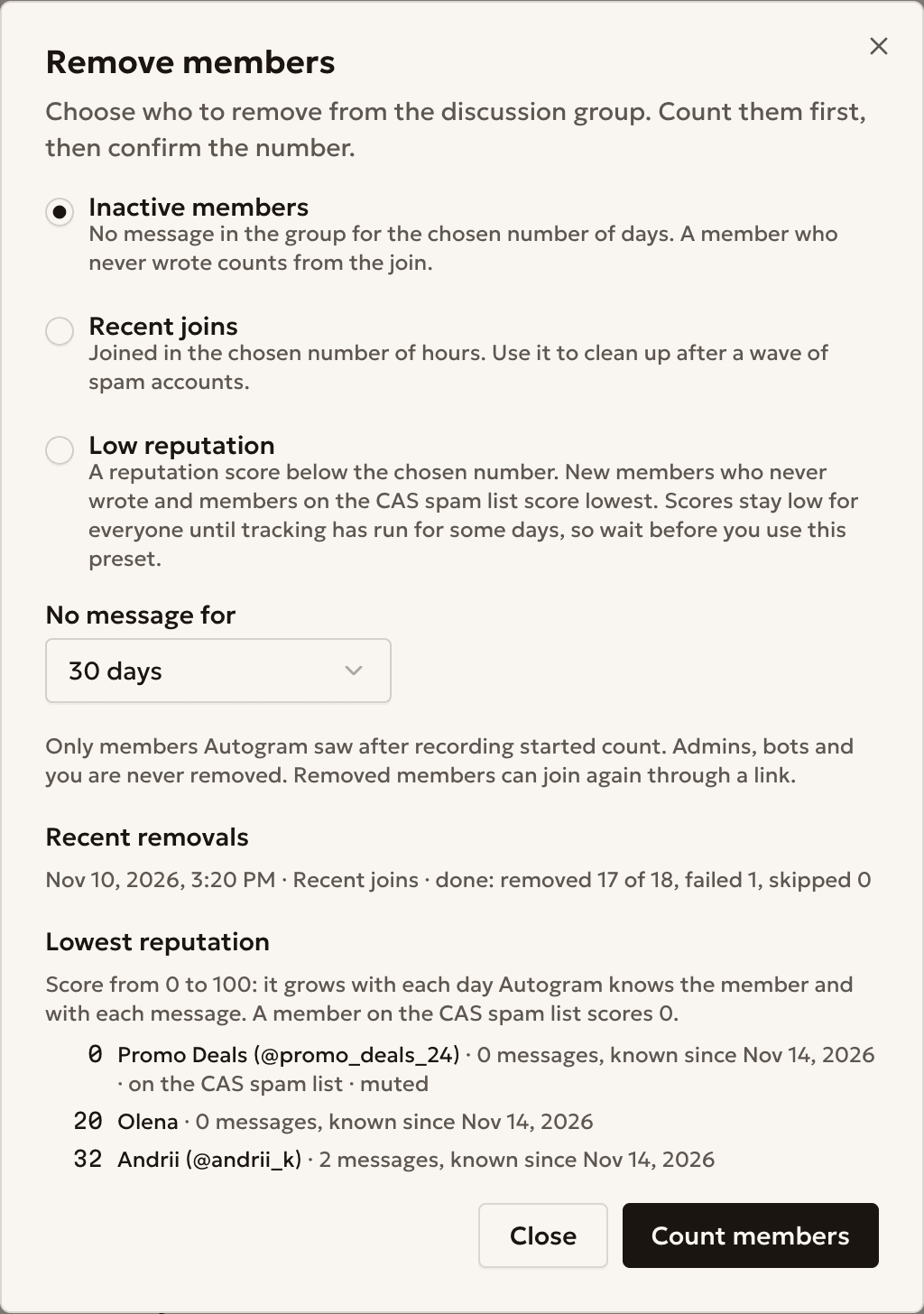
Press Remove members. Choose Inactive members, Recent joins or Low reputation, then choose the time or the score.
Autogram knows only the members it saw after you turned recording on. It never removes admins, bots or you.
Step 3
Read the reputation
In the same window, Lowest reputation lists the members with the lowest score. Low reputation removes the members whose score is below the number you choose.
The score goes from 0 to 100. It grows with each day Autogram knows the member and with each message. Scores stay low for everyone until recording has run for some days, so wait before you use this preset. A member on the CAS spam list scores 0. In the same row you choose what the bot does with such a member: nothing, warn, mute or ban.

Step 4
Count the members
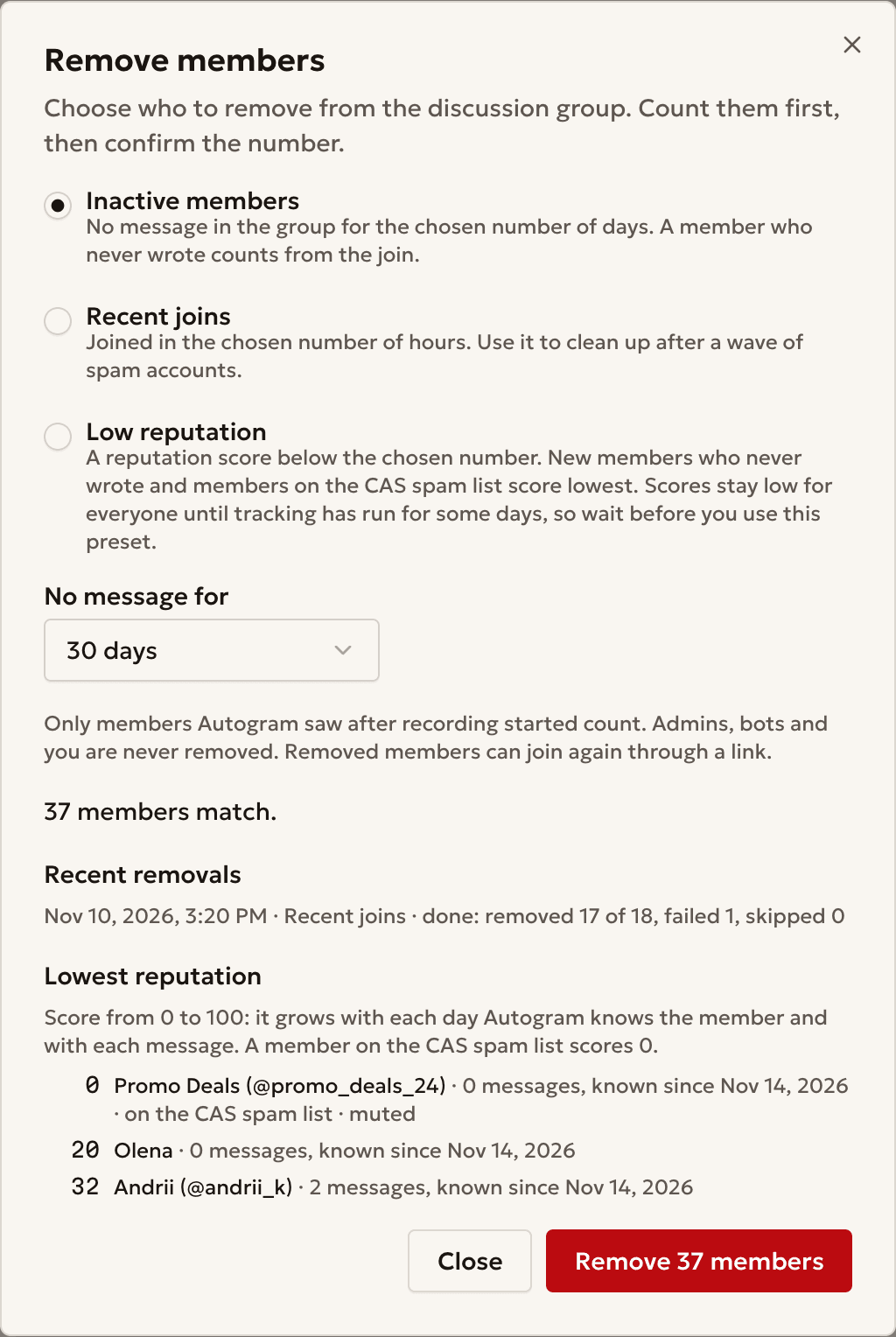
Press Count members. Autogram shows how many members match. It removes nobody yet.
When you change the preset or the time, Autogram drops the count. You always confirm the current number.
Step 5
Confirm the removal
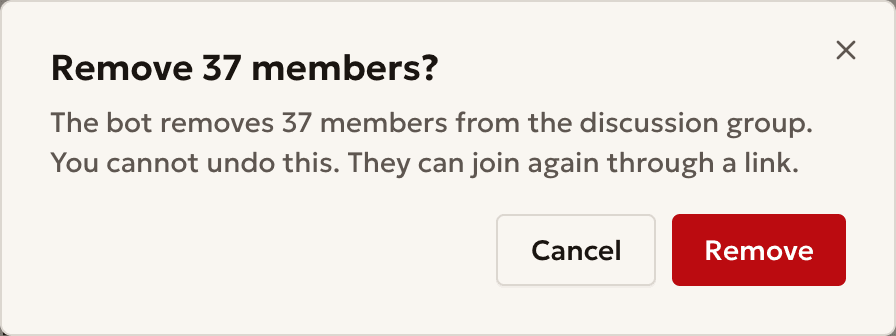
Press the red button that shows the number, then press Remove.
The bot removes the members in the background. A removed member can join again through a link.
Example
A food guide channel
The owner of a food guide channel cleans up the discussion group after a wave of spam accounts.
- Preset
- Recent joins
- Time
- 24 hours
- Result
- 37 members counted, then removed after the owner confirms
Common questions
Which plan do I need?
None. Every plan can remove members.
Does Autogram see every member of my group?
No. Telegram does not let a bot list the members. Autogram knows only the people it saw after you turned recording on.
What is the reputation score?
A number from 0 to 100 for each recorded member. It grows with each day Autogram knows the member and with each message. A member on the CAS spam list scores 0.
Can I undo a removal?
No. A removed member can join again through a link.
Ready to start?
Create an account and connect your channel.