Guide · 4 steps
Post news from your feed
Pick a news item and post it in one click. Filters can do it for you.
Step 1
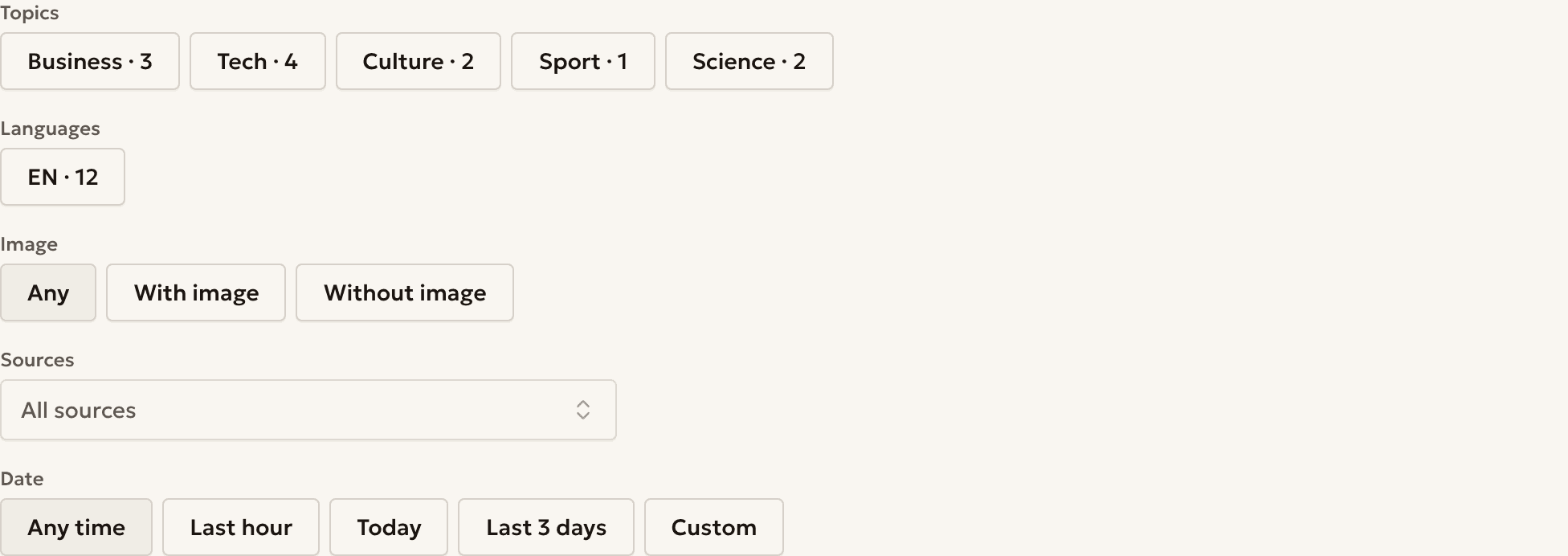
Filter the news
Use Topics, Languages and Sources to show only the news you want.
On a phone, press Filters first.
Step 2
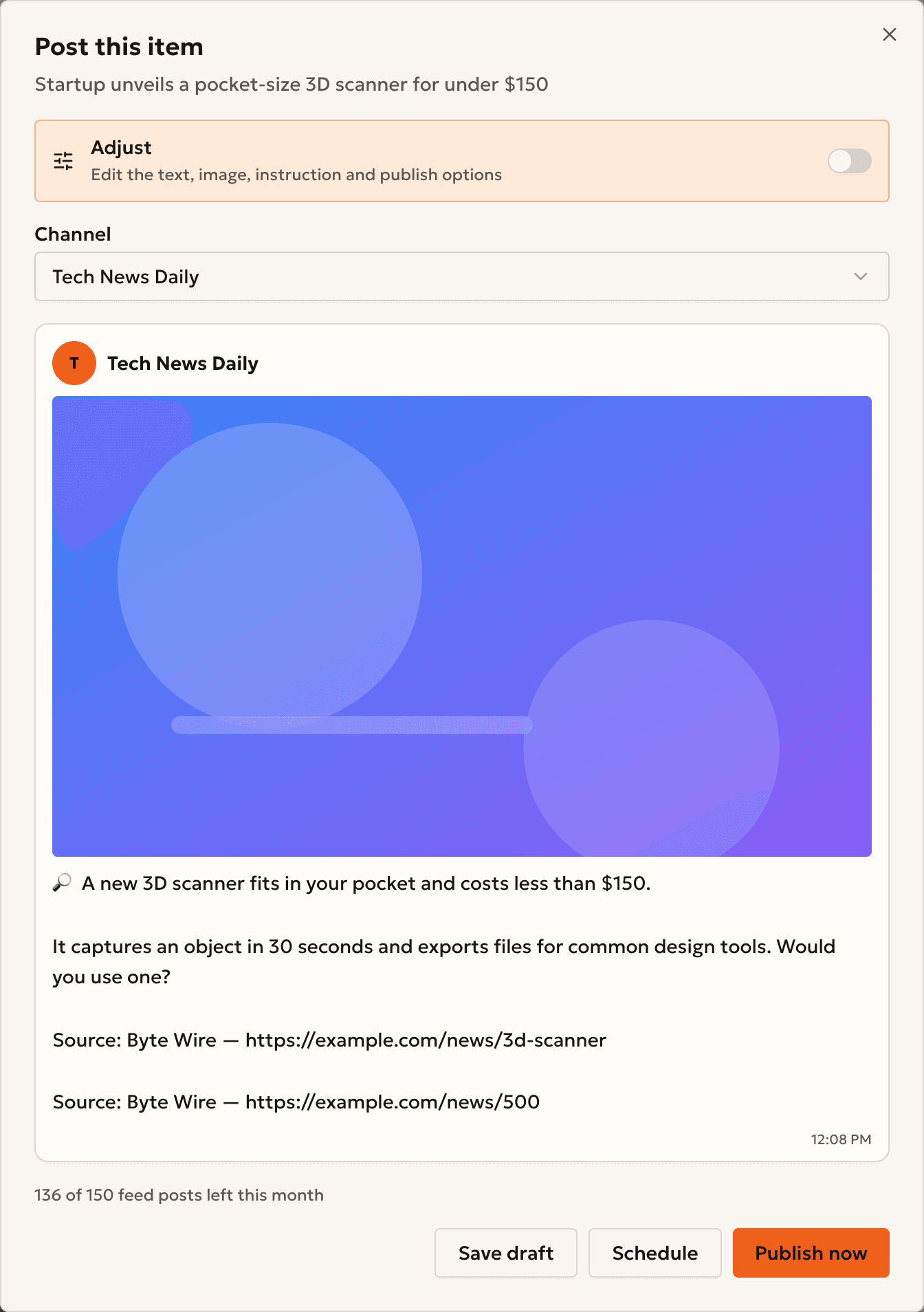
Post an item
Press Post on an item, then Publish now, Schedule or Save draft.
Switch on Adjust to edit the text before you post.
Step 3
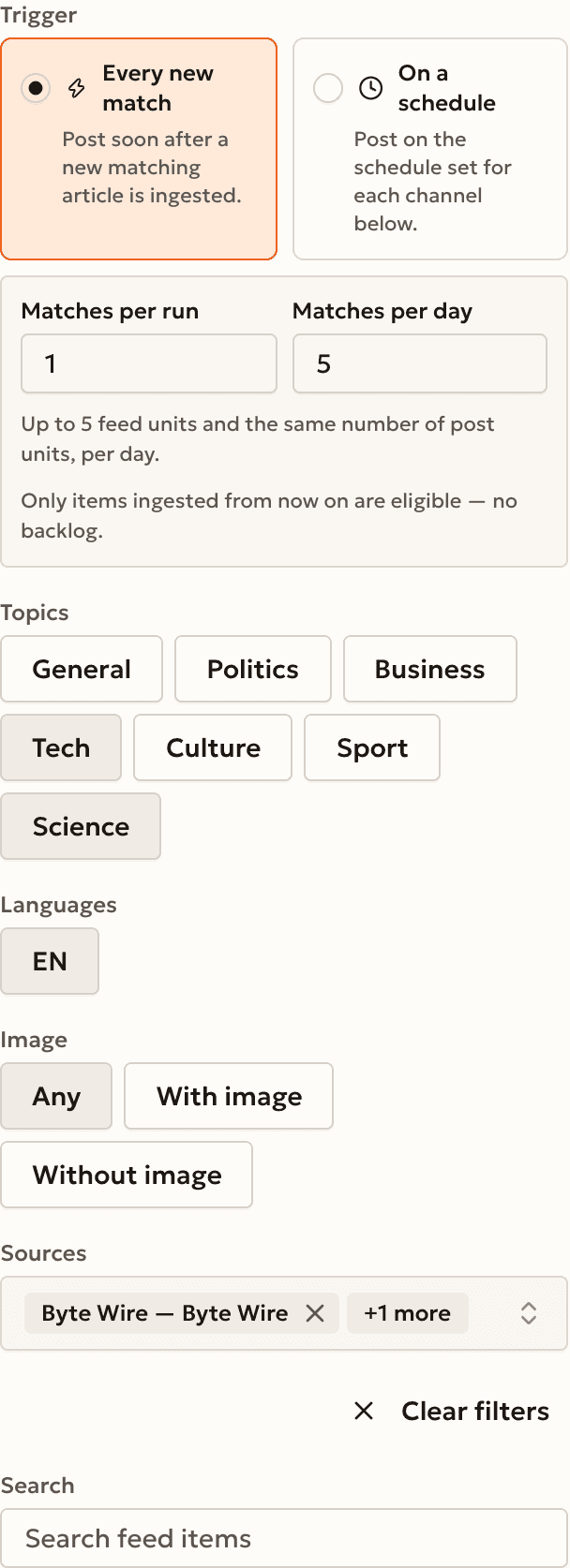
Automate your filters
Press Create automation from these filters and choose Every new match.
Set Matches per run and Matches per day to limit the posts.
Step 4 · Optional
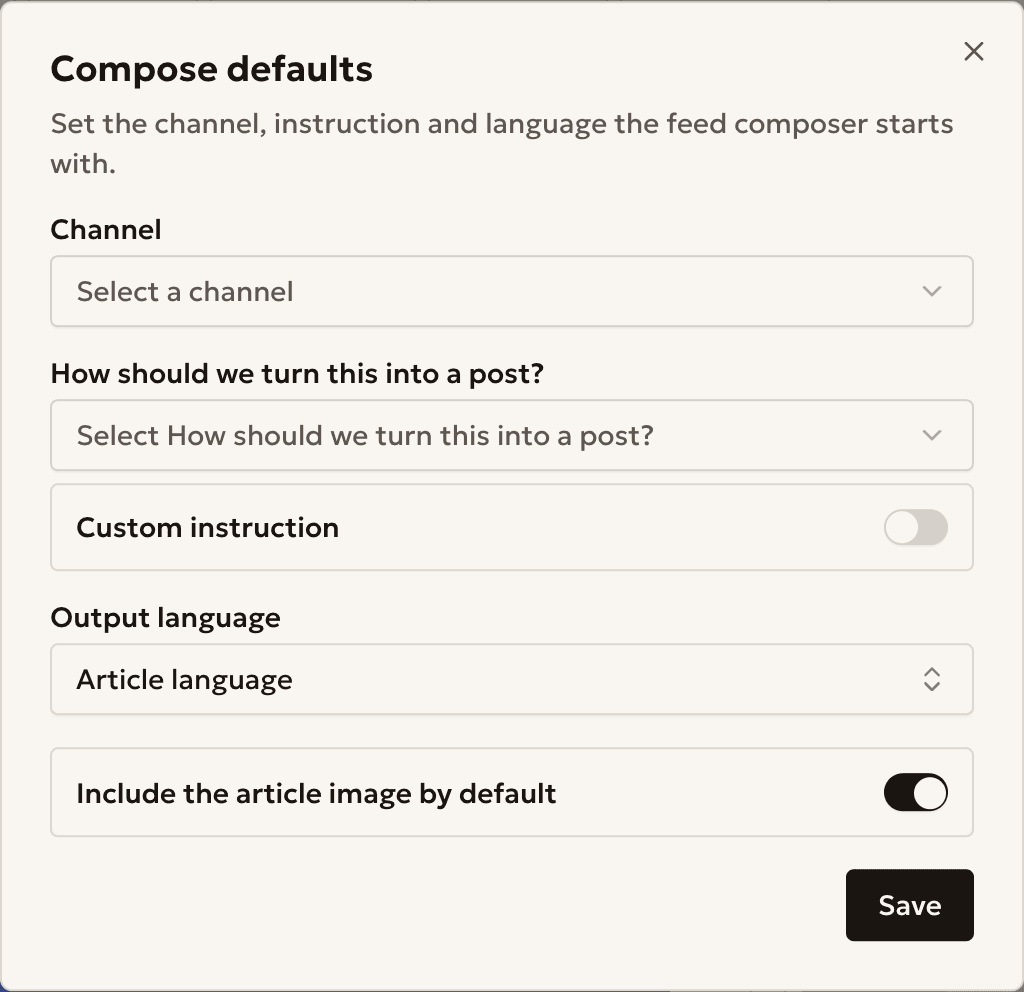
Set your defaults
Press Compose defaults (the gear icon) to choose the channel, instruction and language that every post starts with.
Press Save when you finish.
Example
A Kyiv city channel
Kyiv Today (@kyivtoday_demo) posts city news in Ukrainian.
- Topics
- General, Culture
- Languages
- UK
- Trigger
- Every new match
- Matches per day
- 3
Something unclear?
The feed is empty
No item matches your filters. Press Clear filters or choose other topics.
How many posts can I make from the feed?
Your plan sets a monthly limit. The post window shows how many posts are left.
Does an automation post old news?
No. It posts only the news that arrives after you create it.
Ready to start?
Create an account and connect your channel.