Guide · 5 steps
Add buttons to a post and send it to an ad seller
Buttons sit under a post and open your links. Send the post to your own Telegram, then forward it to the seller. The buttons stay.
Step 1
Add a button
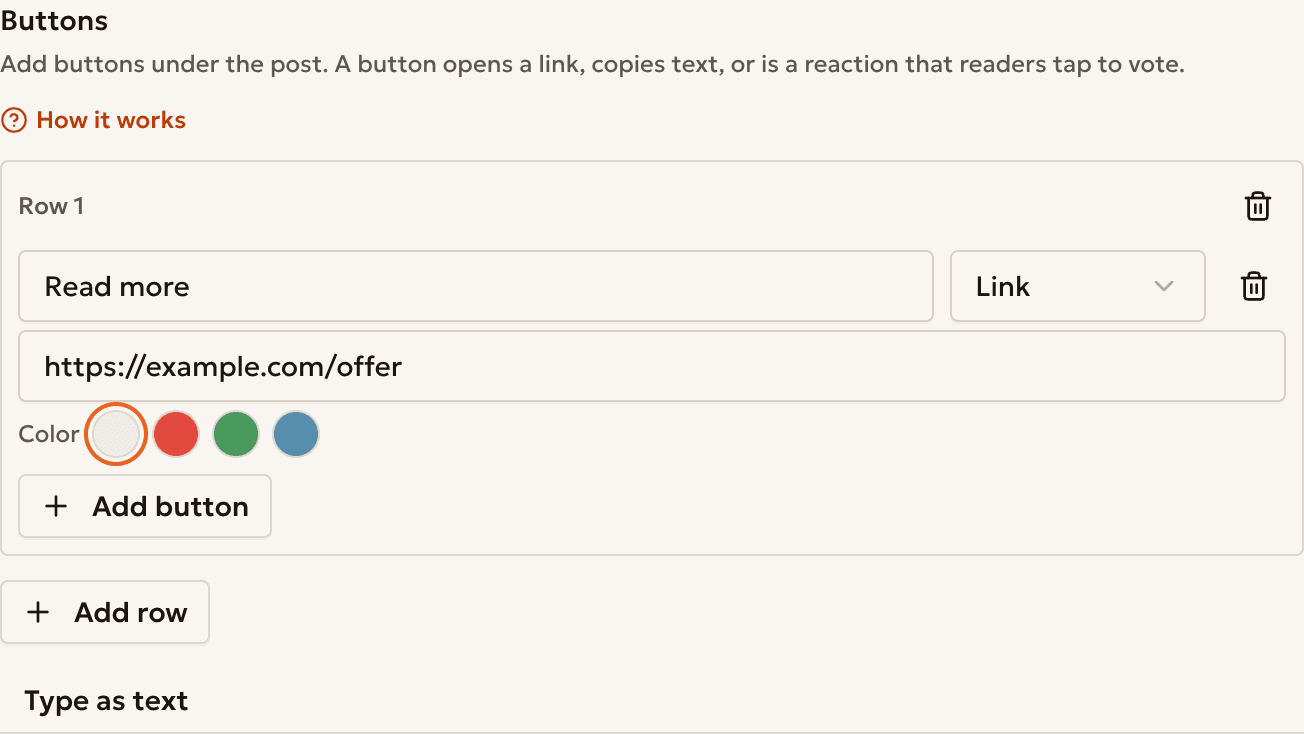
Open Posts, press Create, and in Buttons press Add row. Type a label and a link.
If the post has an image, you can also turn on Show the text above the image.
Step 2
Set a color
Press Add button for a second button in the row. Under Color, pick red, green or blue.
A post holds up to 8 rows of 8 buttons.

Step 3
Or type the buttons
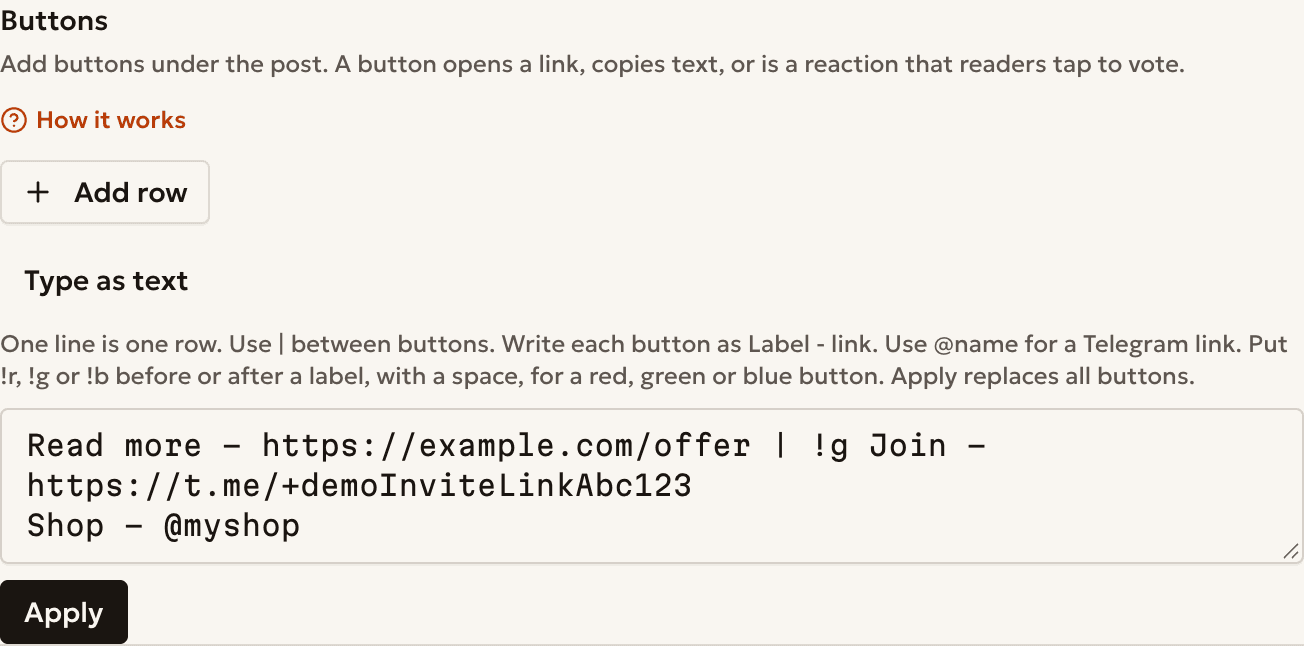
Press Type as text, write one row per line, and press Apply.
Write Label - link. Put | between buttons. Use @name for a Telegram link. Put !r, !g or !b next to a label for red, green or blue. Apply replaces all buttons.
Step 4
Send it to the seller
Save the post, open it, and press Send to my Telegram. The bot sends you a copy with its buttons.
Forward that message to the ad seller. A forward keeps the buttons. Link your Telegram account first.

Step 5
See the clicks
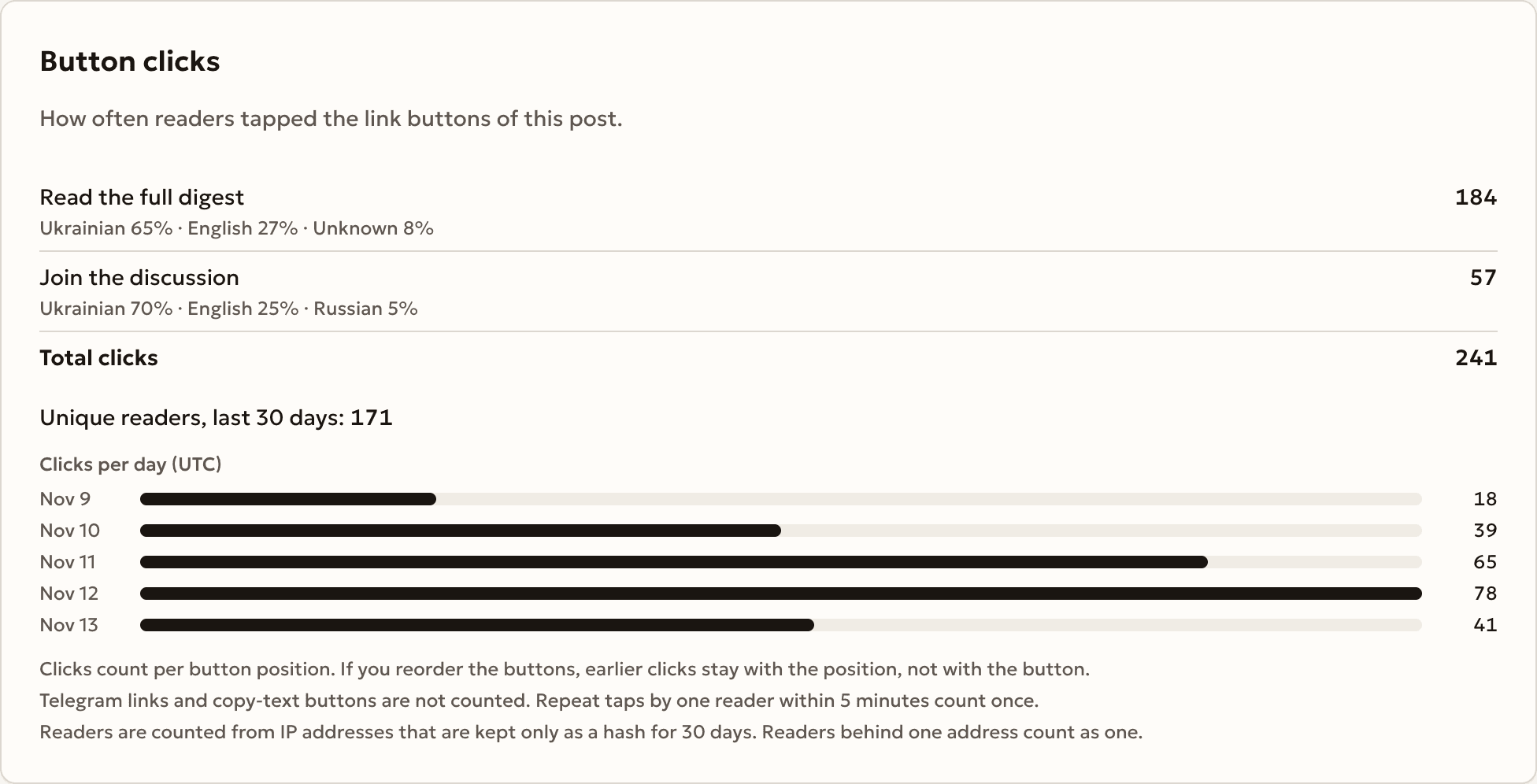
Open the post and press Details. In Button clicks, read the clicks of each button, per day and by language.
Button clicks need the Pro plan. On a lower plan, press See plans.
Example
A post for an ad seller
- Channel
- Kyiv Food Guide
- Row 1
- Read more | Join (green)
- As text
- Read more - https://example.com/offer | !g Join - https://t.me/+demoInviteLinkAbc123
Common questions
How do I add a like or reaction button?
In Buttons, add a button and set its type to Reaction. Type an emoji or a short word as the label. Readers tap it to vote, and the button shows the count. Each reader has one vote on a post: a second tap on the same button removes the vote, and a tap on another button moves it. Read the votes in the post details.
Can an automation add the buttons for me?
Yes. Open the automation, find Buttons above the channels, and add the buttons there. The automation puts them under every post it publishes. A post with more than one image is sent without them. Solo plan and above.
Why does a forward keep the buttons?
The bot sent the message with its buttons. Telegram keeps the buttons when you forward a message from a bot.
Why can a post with several images not have buttons?
Telegram puts buttons on one message. Several images form an album. Use one image or none.
Which plans have buttons?
The Solo plan and above. On the Free plan, press See plans in the section.
Which buttons count clicks?
Buttons with a web link. Telegram links and copy-text buttons are not counted. Repeat taps by one reader within 5 minutes count once.
Send to my Telegram shows an error
Link your Telegram account in Settings. Then open the Autogram bot in Telegram and press Start.
Ready to start?
Create an account and connect your channel.