Guide · 4 steps
See how recycled posts do
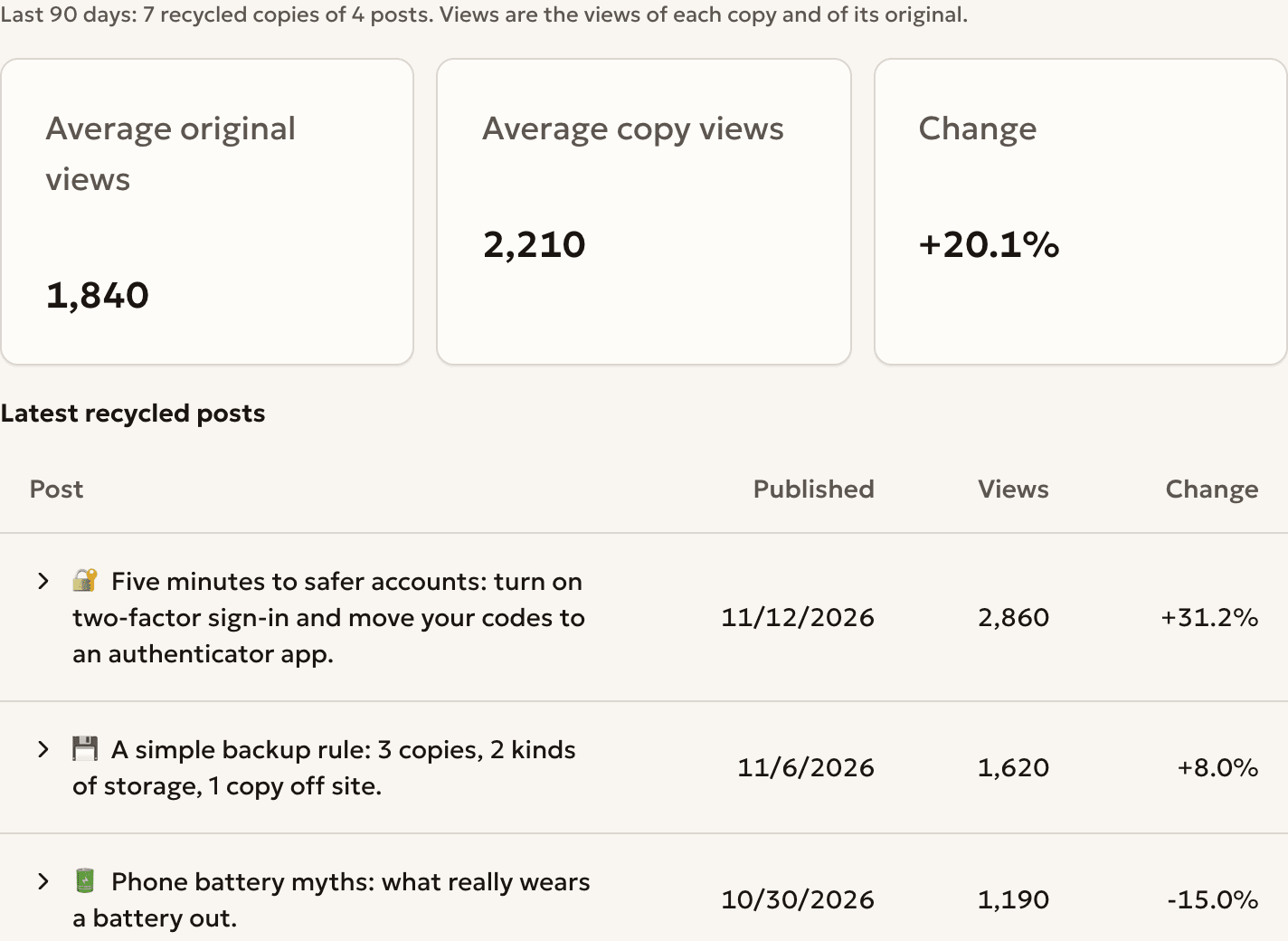
When an automation recycles a post, Autogram compares the views of the copy with the views of the original.
Step 1
Open the Recycling tab
Open Analytics and choose the Recycling tab.
The tab needs the Solo plan or higher. Free sees an upgrade note.

Step 2
Compare copies with originals
Read Average original views, Average copy views and Change.
The cards cover the last 90 days. A post with no views shows no value.
Step 3
Open the chain of a post
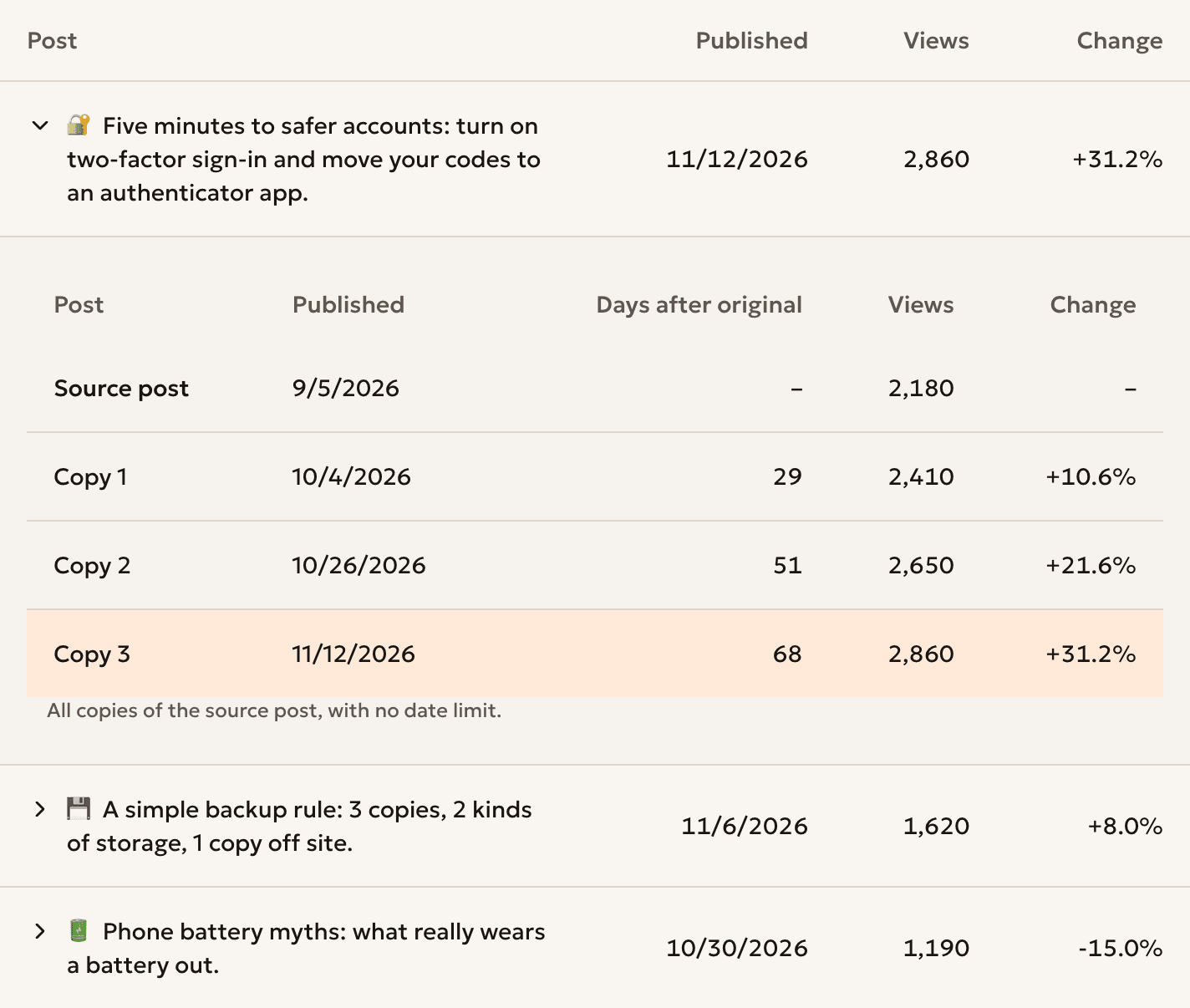
Open a post in Latest recycled posts to see the original and every copy, with the days since the original.
The chain shows all copies of the original, with no date limit.
Step 4
Read the result of each strategy
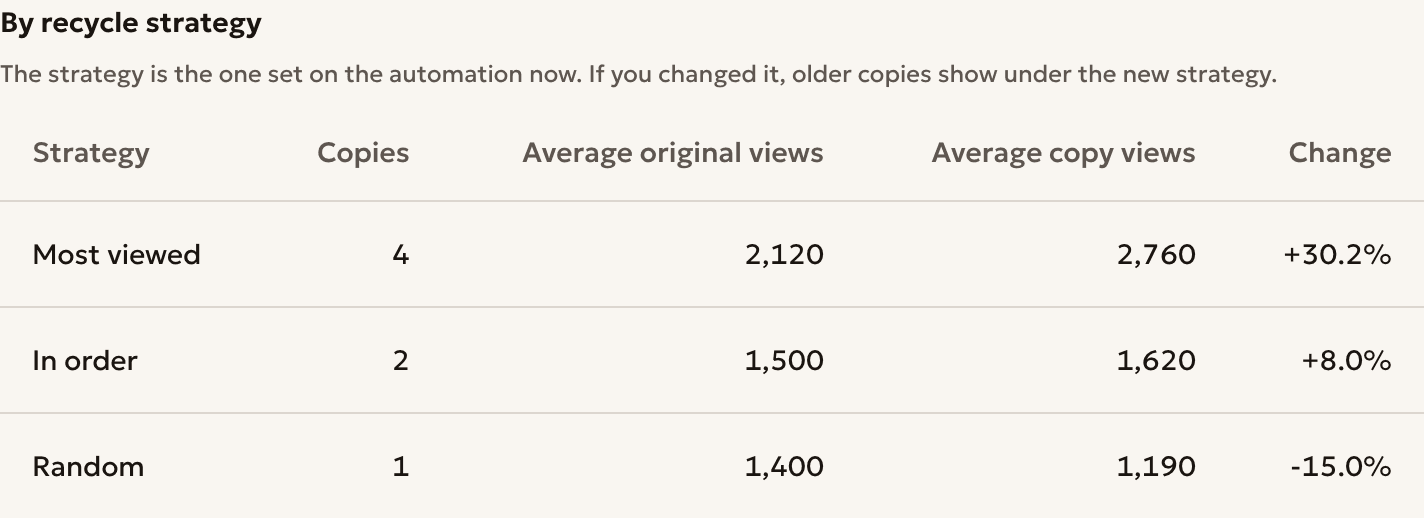
See the views for each strategy in By recycle strategy.
Autogram reads the strategy from the automation as it is now. A changed strategy relabels older copies.
Example
A safety tip, posted again
A tech channel recycles an evergreen tip.
- Original views
- 1,840
- Copy views
- 2,210
- Change
- +20.1%
Common questions
Which plan do I need?
Solo and Starter see the comparison and the latest copies. Pro and Business also see the list of the most recycled posts.
Where do the views come from?
From the post: the views you typed, else the views of its linked ad, else the views that Autogram read from Telegram on Pro and Business.
Does this change how posts are recycled?
No. The tab only reads data.
Ready to start?
Create an account and connect your channel.