Guide · 5 steps
Send buyers one page with your ad prices
A seller page holds your prices, reach, free slots, terms and payment details. You send one link instead of the same messages.
Step 1
Open the seller page
Open Advertisements and press Seller page.
The ad manager needs a paid plan.

Step 2
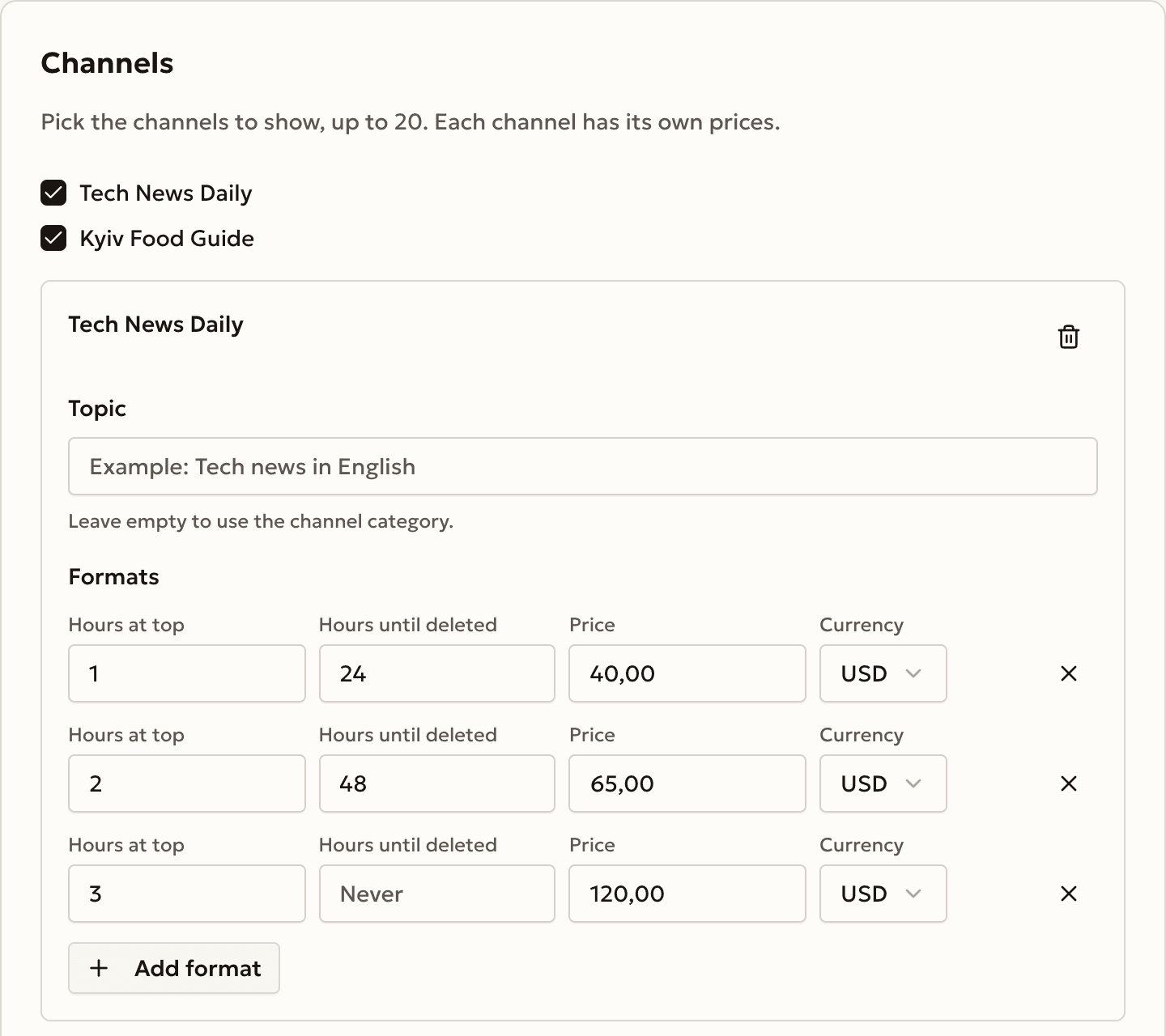
Add your channels
Tick a channel. For each format, set Hours at top, Hours until deleted, Price and Currency.
Leave Hours until deleted empty if the post stays.
Step 3
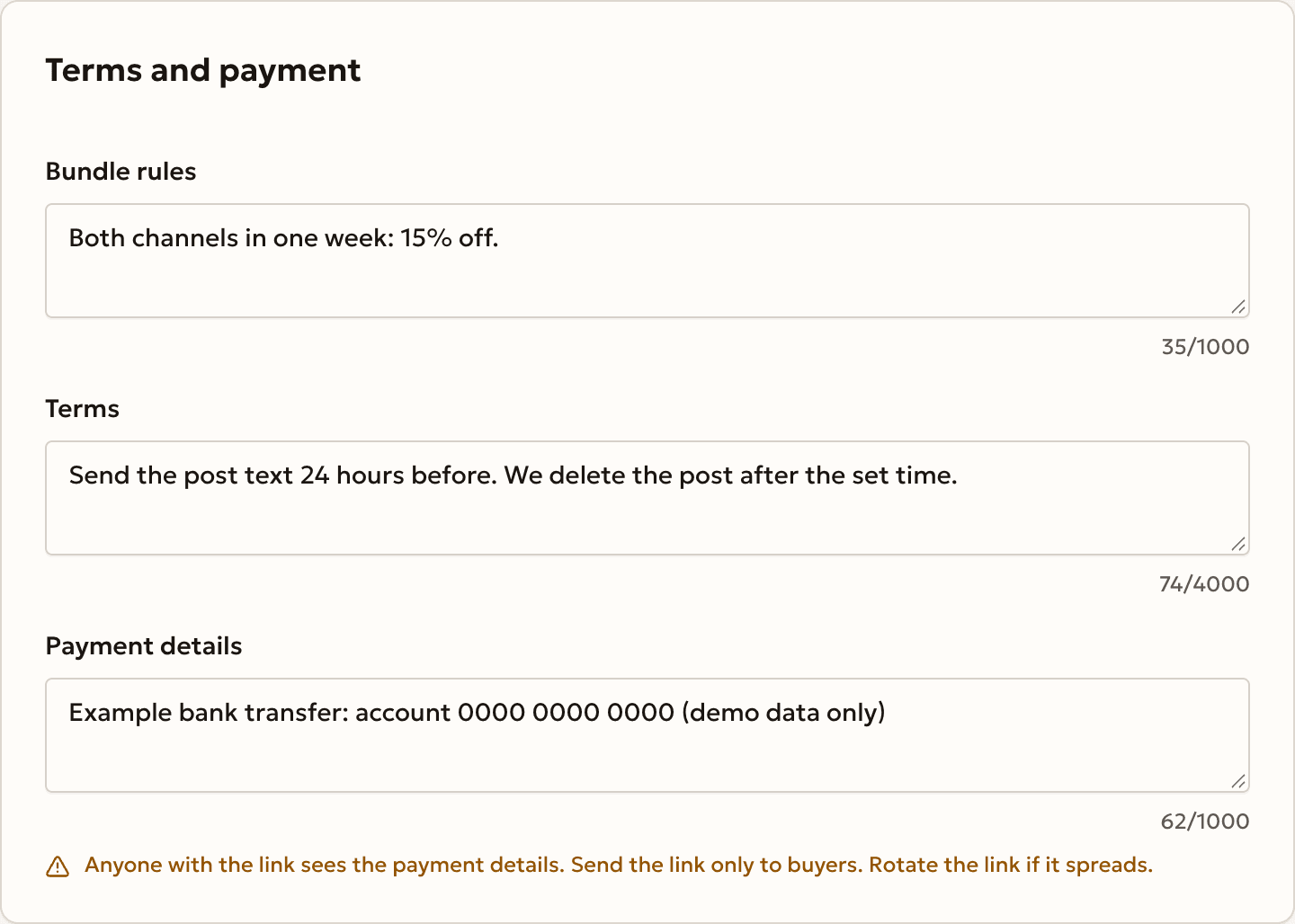
Write the terms and payment
Fill in Bundle rules, Terms and Payment details.
Anyone with the link sees the payment details. Send the link only to buyers.
Step 4
Save and share
Press Save. Then press Copy link or Copy as message and send it to the buyer.
Copy as message works after you save.

Step 5
See what a buyer sees
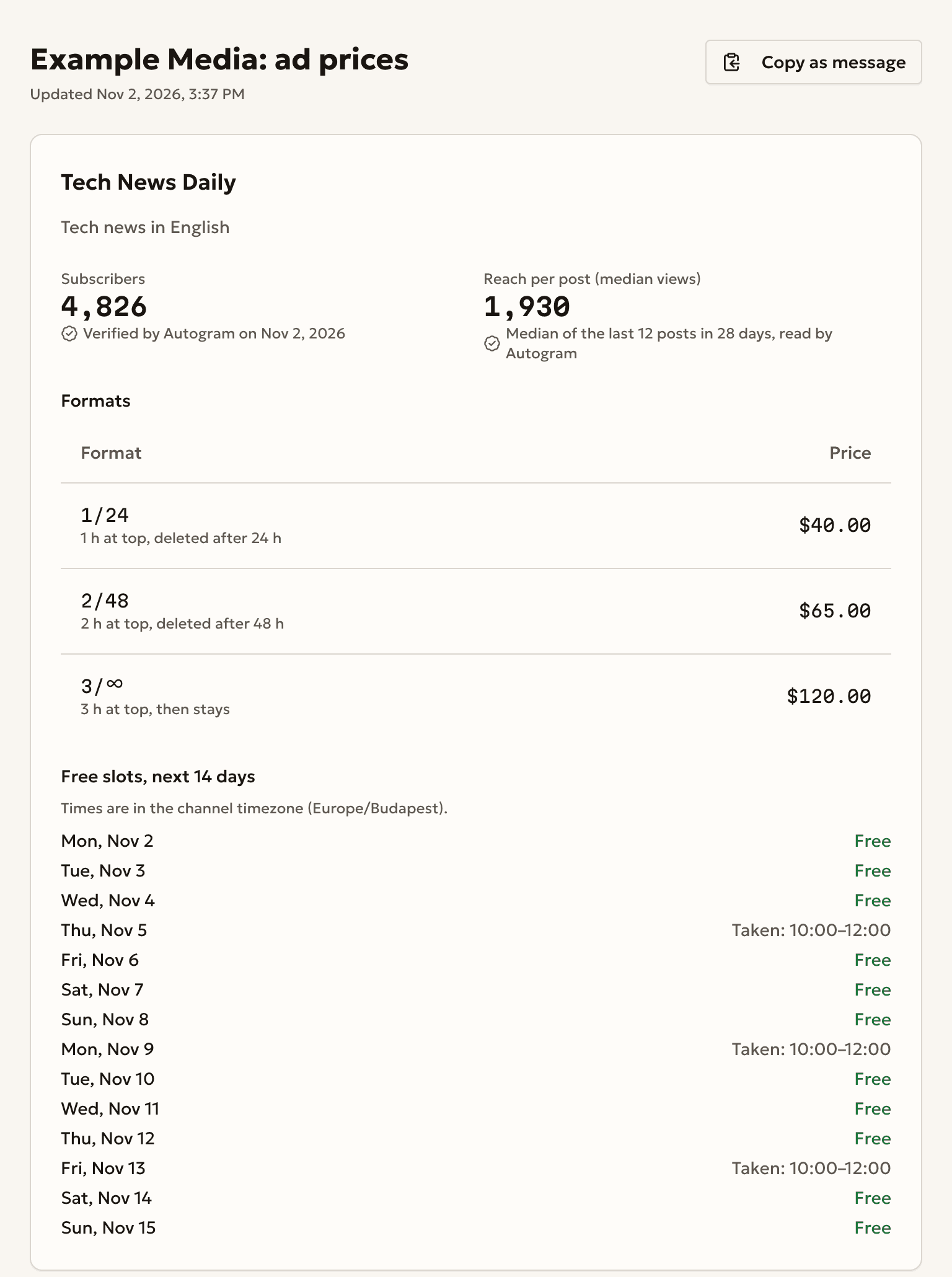
The buyer opens your link. The page shows the prices, the reach, the free slots, the terms and the payment details.
Press Open page to check it before you send it.
Example
A page for one channel
- Channel
- Kyiv Food Guide
- Format
- 2 h at top, deleted after 48 h
- Price
- $65
- Bundle rules
- Both channels in one week: 15% off
Common questions
Who can see the page?
Anyone with the link. To cut off access, press Rotate link. The old link stops working at once.
Where does the reach number come from?
It is the median views of your recent posts that Autogram read itself. The page hides it until there are 5 such posts. The bot reads the subscribers every hour.
What do the free slots mean?
A slot is taken when it is a top window of an ad you sold. The page shows the next 14 days.
Ready to start?
Create an account and connect your channel.