Guide · 3 steps
Count the clicks of a link with a short link
A short link opens your address and counts each click. You see how many readers open a link from a post.
Step 1
Create a short link
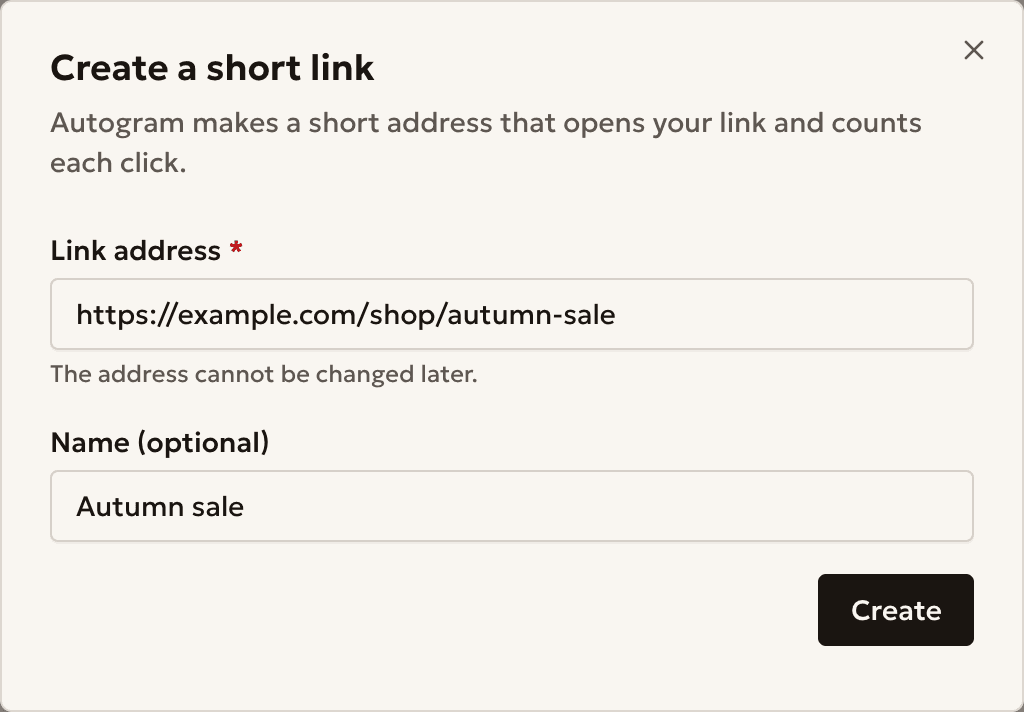
Open Short links and press Create. Paste the address in Link address, add a Name (optional) and press Create.
In the post window, Add a short link makes the link and adds it to the text in one step.
Step 2
Put the link in a post
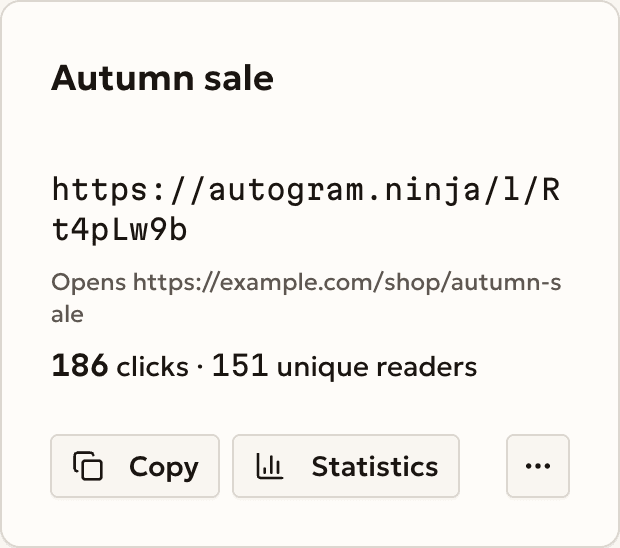
Press Copy on the card and paste the short link into your post.
Each card shows the clicks and the number of unique readers.
Step 3
Read the clicks
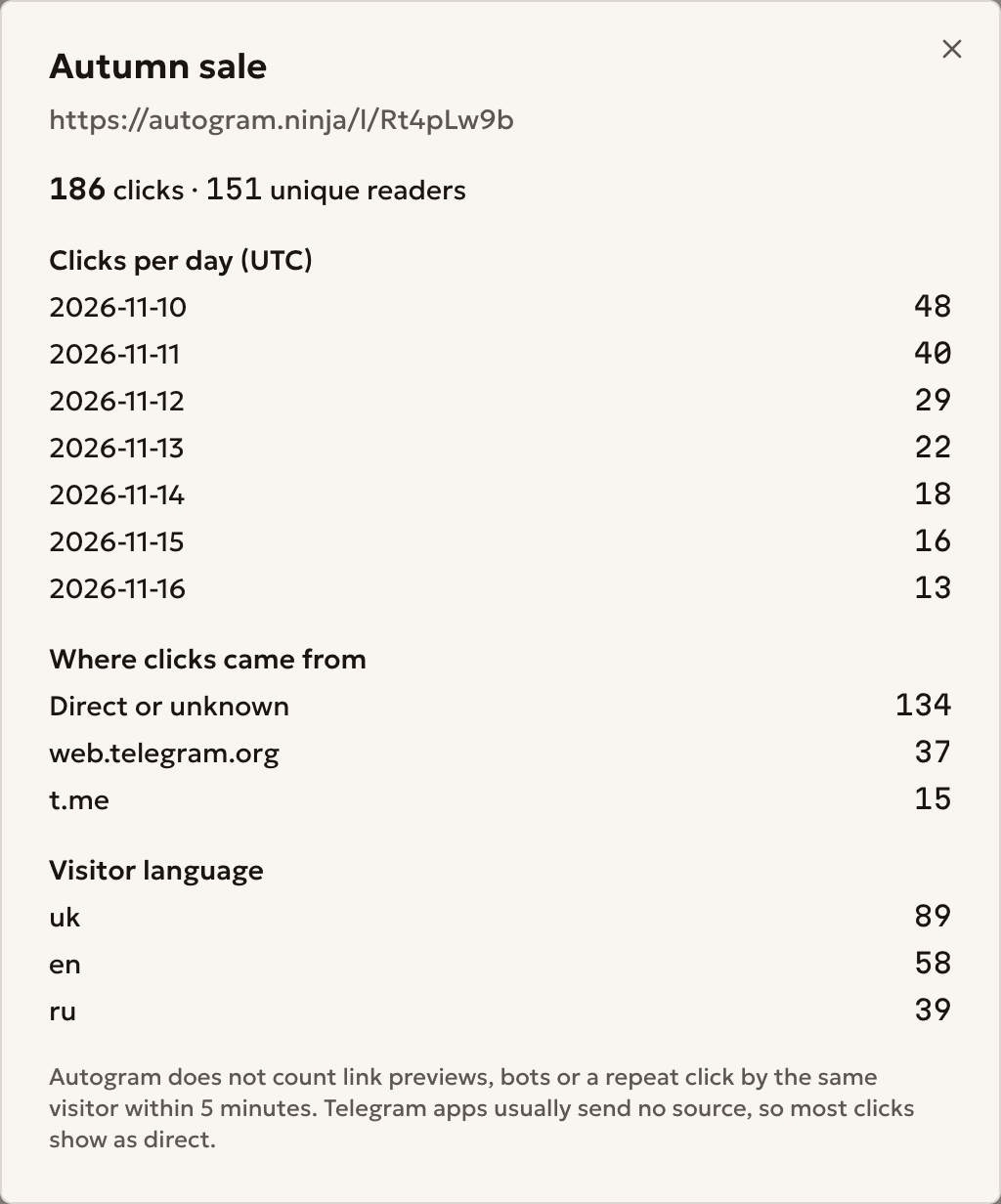
Press Statistics to see the clicks per day, where they came from and the language of the readers.
Telegram apps usually send no source, so most clicks show as direct.
Example
A sale link in a channel post
A channel owner posts a sale and wants to know how many readers open it.
- Address
- https://example.com/shop/autumn-sale
- Name
- Autumn sale
- After 6 days
- 186 clicks, 151 unique readers
Common questions
Which plan do I need?
Solo or higher creates short links. A link you made keeps working and counting after a downgrade.
Which clicks count?
Autogram does not count link previews, bots or a repeat click by the same reader within 5 minutes.
Can I change the address later?
No. Create a new link. When you delete a link, the posts that have it show a broken link.
Ready to start?
Create an account and connect your channel.