Guide · 3 steps
Copy posts from one of your channels
An automation can take each new post of one of your Telegram channels and publish it in your other channels, as it is or rewritten by AI.
Step 1
Choose the source channel
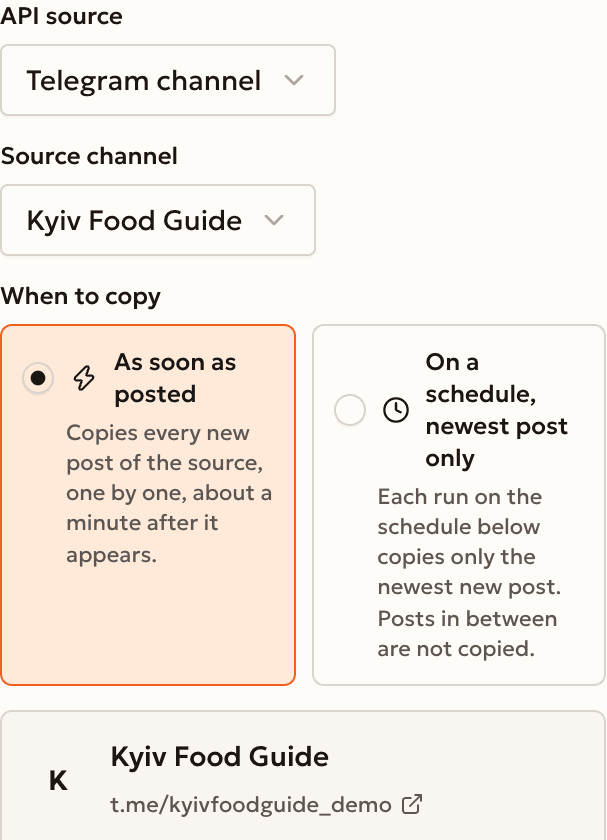
Open Tasks, create a task and choose API fetched. Set API source to Telegram channel and choose the Source channel. Under When to copy, keep As soon as posted to copy every new post.
The source is one of your connected channels, and the Autogram bot must be its admin. Source channels per plan: Solo 1, Starter 2, Pro 5, Business unlimited.
Step 2
Credit the source
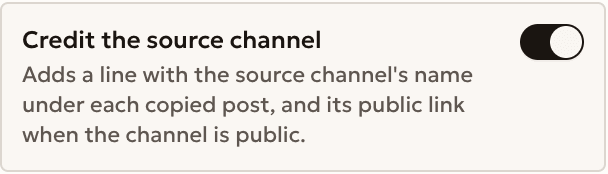
Turn on Credit the source channel to add the source name under each copied post.
A public channel is credited with its link. A private channel is credited by name only, so its invite link stays private.
Step 3
Add an AI rewrite if you want one
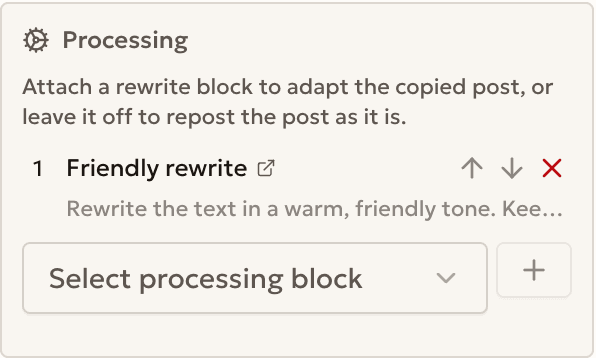
Press Add channel and pick a target channel. In Processing, add a rewrite block, then press Create.
Without a block, Autogram reposts the text as it is. A rewrite uses your AI budget, and the credit goes under the rewritten text.
Example
One channel feeds another
The owner of two channels copies the posts of the main channel into a second channel, rewritten for its readers.
- Source channel
- Kyiv Food Guide
- Target channel
- Tech News Daily
- Processing
- A rewrite block, with the source credit
Common questions
What is copied?
Text and captions. Photos, videos, albums and polls are not copied, and Telegram formatting is lost. Posts you publish through Autogram are copied. Forwarded posts and posts that another auto-repost copied into the source channel are not copied. A post with no text fails its run.
When is a post copied?
Telegram sends each new post to Autogram at once. With "As soon as posted", every new post is copied, in order, about a minute after it appears. With "On a schedule, newest post only", each run copies only the newest of the new posts. Posts from before the automation starts to copy are not copied.
Is the AI rewrite required?
No. Leave the processing empty to repost the post as it is.
Ready to start?
Create an account and connect your channel.