Guide · 4 steps
Buy an ad and count its joins
A tracking link counts the people who join your channel from a bought ad. You make it inside the ad purchase.
Step 1
Open your ads
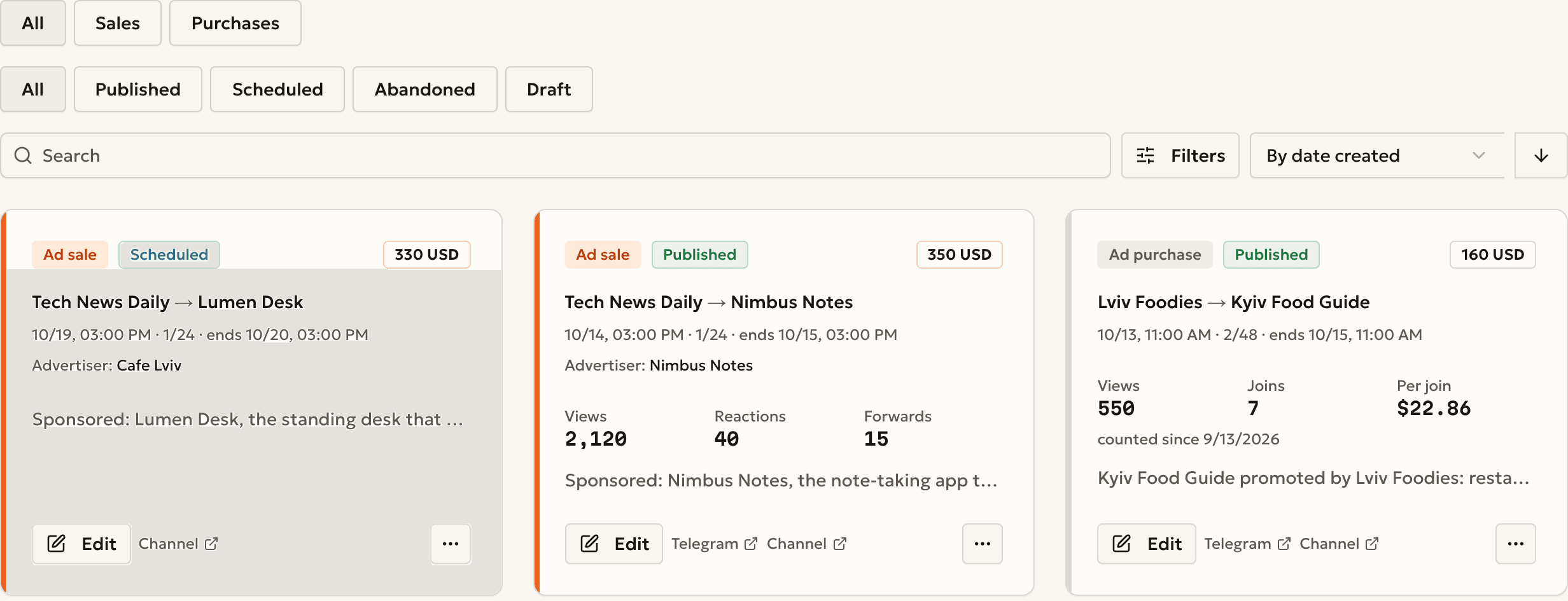
Open Advertisements. Press Purchases to see the ads you bought.
A tracking link exists only on an ad purchase.
Step 2
Start an ad purchase
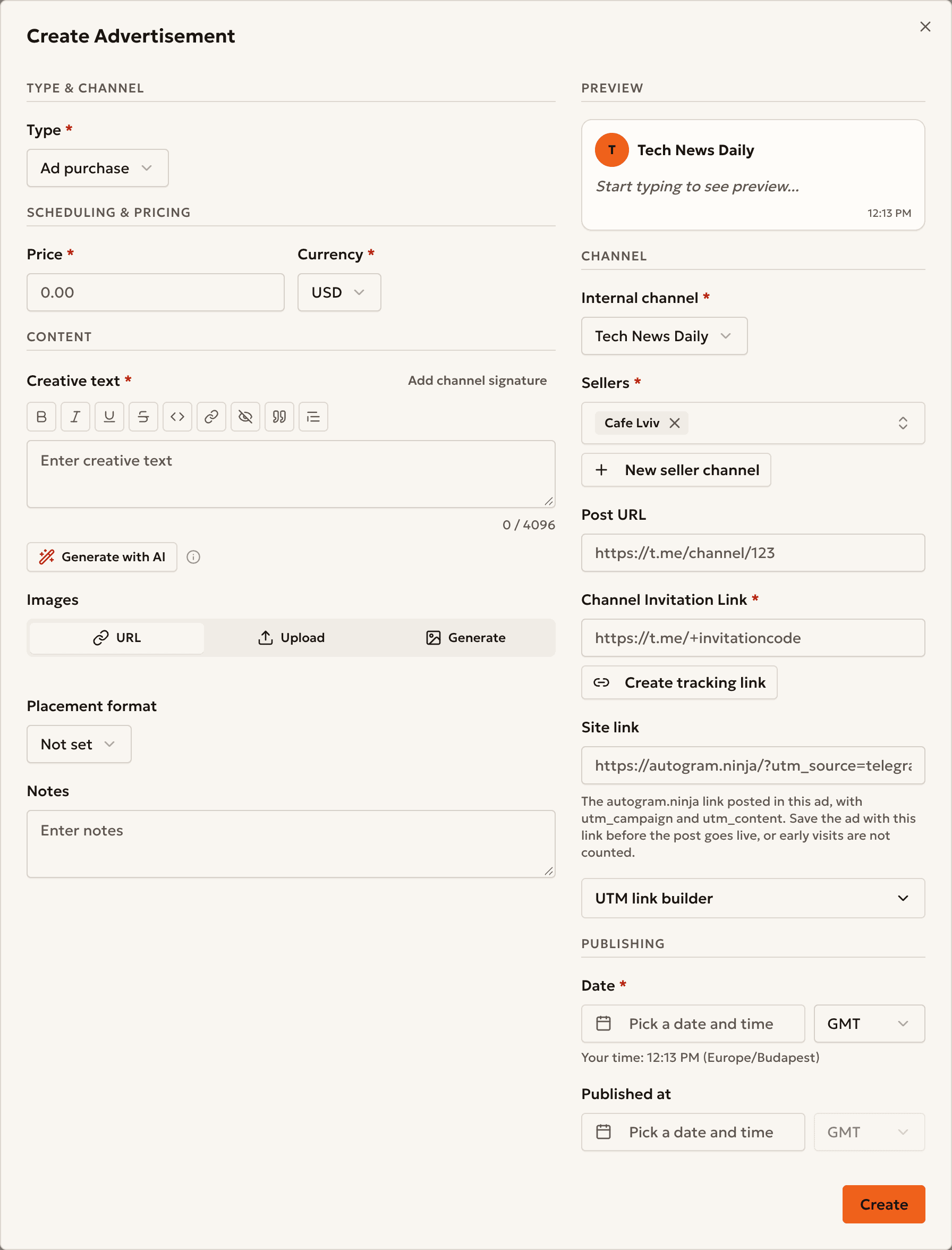
Press Create, then set Type to Ad purchase.
The link joins the channel you pick as Internal channel.
Step 3
Make a tracking link
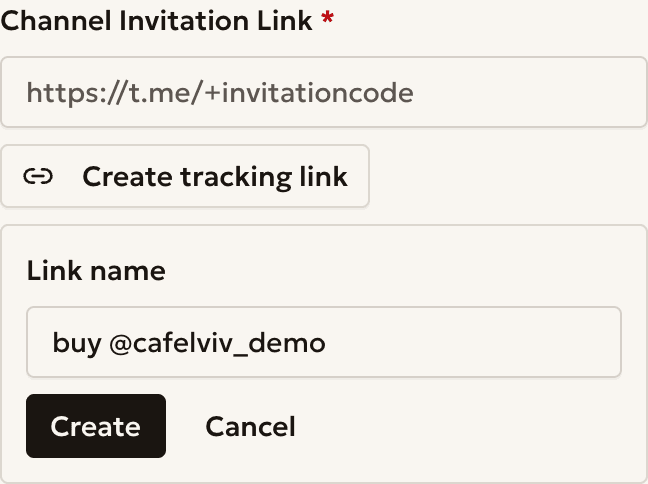
Press Create tracking link, type a Link name, and press Create.
The link fills Channel Invitation Link by itself.
Step 4
Read the joins
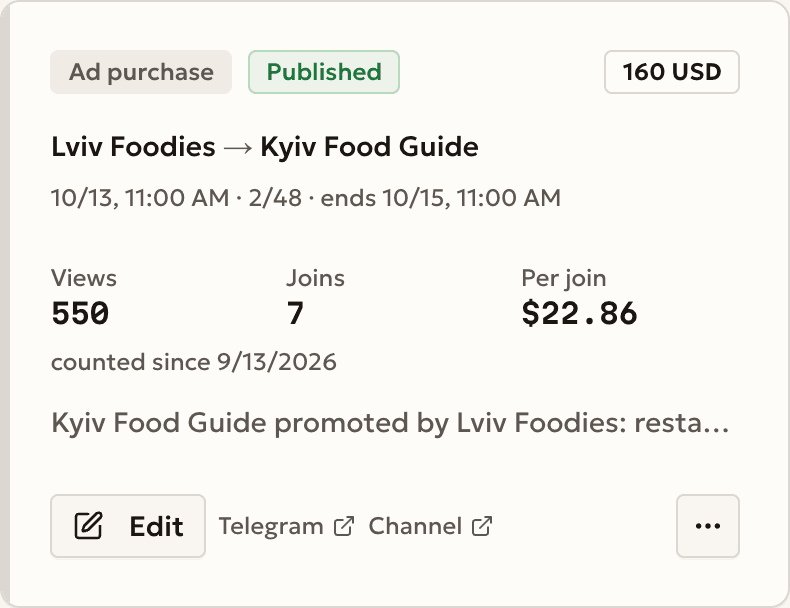
After the post goes live, the ad card shows Joins and Per join.
Joins count from the day the link is created.
Example
A buy in a partner channel
- Internal channel
- Kyiv Food Guide
- Seller
- Lviv Foodies
- Price
- $160
- Joins
- 7
- Per join
- $22.86
Common questions
The ad shows no joins
Joins count from the day the link is created. A new ad shows 0 until someone joins through the link.
Can I track an ad I sold?
No. A tracking link exists only on an Ad purchase.
Where are all my links?
Open the Sources tab of the channel statistics. Read the analytics guide.
Ready to start?
Create an account and connect your channel.